
Introduction
Salesforce is the world’s leading cloud-based customer relationship manager, or CRM. They have two offerings designed with nonprofits in mind: Nonprofit Cloud and NPSP.
Many nonprofits already using Salesforce may be familiar with Nonprofit Success Pack (NPSP), a suite of tools designed to customize Salesforce to be even more effective for nonprofits.
We’re hearing a lot of buzz about transitioning to Nonprofit Cloud, especially from nonprofits who previously used Salesforce’s NPSP pack. They want to understand the difference between the solutions and the worth of switching to a new cloud.
Some even suggest that Salesforce is gradually phasing out NPSP and considering retirement for the package
While this package offers a lot of functionality, the flexible options sometimes require more technical know-how than other nonprofit CRM solutions. Additional free solutions were created to help nonprofits with other tasks such as program, case, and grants management.

What is a Nonprofit Success Pack (NPSP)?
NPSP is a managed package built on the Salesforce platform. It’s installed into your Salesforce environment, giving you access to nonprofit-specific features and functionality.
Until last year, when nonprofits wanted to adopt Salesforce for fundraising, the primary approach was to use Sales and Service Cloud for core customer relationship management (CRM) functionality and then install Nonprofit Success Pack (NPSP) to support fundraising needs. Other popular managed packages for nonprofits included the Program Management Module and Volunteers for Salesforce.

What is Salesforce Nonprofit Cloud?
Salesforce Nonprofit Cloud is a new Salesforce for Nonprofits solution designed to meet the unique needs of nonprofit organizations and help them better achieve their missions.
Nonprofit Cloud is built on the Salesforce platform, and it includes a range of features that are specifically tailored to nonprofit organizations. These features include tools for managing donor relationships, programs, fundraising campaigns, and outcomes measurement. Nonprofit Cloud also includes advanced analytics capabilities, which can help organizations track their impact and measure their success.

Can switch from NPSP to Nonprofit Cloud?
NPSP is built on a different data model than Nonprofit Cloud, so moving from NPSP to Nonprofit Cloud is not necessarily a quick process. However, Salesforce is working on making this process as smooth as possible, and we highly recommend engaging with a partner like Heller to help you with the migration.
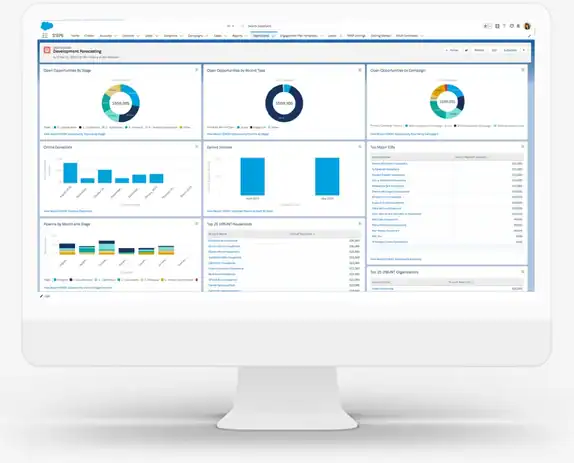
Salesforce Non Profit Cloud and NPSP Comparison
As a core product, the Nonprofit Cloud can leverage Industries Common Components to extend functionality and is automatically available in Salesforce core languages. Making this change enables Salesforce.org to utilize more of Salesforce.com’s capabilities without reinventing the wheel. The Nonprofit SKU combines everything needed instead of selling each component separately.
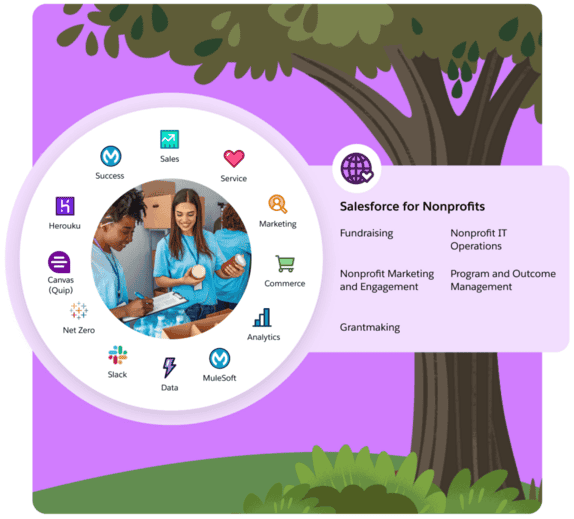
Both solutions serve nonprofits that use Salesforce and both were built with nonprofit organizations specifically in mind to address the common challenges associated with all nonprofit processes, such as fundraising, accounting, program management, grantmaking, etc.
While some of the use cases are similar, Nonprofit Cloud is radically different and more complex than NPSP in most of the key ways.
Here are key differences between Nonprofit Cloud and the NPSP package you need to keep in mind:
- NPSP is essentially a package that renames or adds various fields, installs some apps, incorporates apex triggers, and introduces new tools. All of these elements could be individually built out by an admin/developer if a nonprofit truly wants a more customized experience. On the other hand, Nonprofit Cloud is a core part of the Salesforce ecosystem, meaning no add-ons or packages.
- NPSP was built on the most basic features of Sales Cloud while Nonprofit Cloud is a more complex solution for complex processes.
- A lot of OmniStudio is built in the Nonprofit Cloud. So, your success depends on how well you know and use OmniStudio. It would also be good to be comfortable with Flows, Business Rules Engine, LWC, Tableau and Data Cloud.
- Nonprofit Cloud involves more objects that become standard when the license is enabled. However, not every nonprofit really needs that number of standard objects to work with.
- In Nonprofit Cloud, much is based on an understanding of Person Accounts and Industry Common Components. One standout feature is using Person Accounts instead of NPSP Households. In NPSP, a Household account may have multiple contacts, but a Person Account combines account and contact fields to represent an individual while still having the functionality of an account. You can still build households but will need to use a new object – Party Relationship Groups – to create relationships between the accounts.

- Nonprofit Success Pack comes out-of-the-box with robust address management functionality for tracking multiple addresses for a household. Since Nonprofit Cloud doesn’t have the Household Account model, this functionality is not available for users.
- Actionable relationship center (ARC) – new component within Nonprofit Cloud that’s not available in NPSP. With Nonprofit Cloud, Salesforce introduced the possibility to configure a new, easy-to-navigate graphical view of all relationships among members and businesses.
- Program Management module in Nonprofit Cloud instead of Program Management in Nonprofit Success Pack (NPSP). Worth paying attention to name changes of some objects in Nonprofit Cloud.

First, Nonprofit Cloud is now being packaged as a distinct industry cloud offering from Salesforce. Similar to Health Cloud, Financial Services Cloud, Manufacturing Cloud, and others. This is a departure from the NPSP framework which is a series of managed packages, built by Salesforce, that are installed on top of Enterprise Editions of Salesforce Sales and Service Cloud.
The platform has matured beyond its early stages, with Plative already assisting numerous customers in navigating this transition.
OmniStudio
Omnistudio enables you to build digital-first experiences for your users tailored to your industry. This is not a new solution. In fact, other industry clouds already take advantage of Omnistudio like Financial Services Cloud for automated onboarding and account opening. Put plainly, Omnistudio is a mechanism by which you can design guided, dynamic user experiences for repetitive tasks like, volunteer or partner onboarding, or appointment setting with a click-and-drag UI.
Omnistudio can also be used outside of Salesforce, which enables nonprofit organizations to create experiences for program application and enrollment flows, to event registration, attendance tracking, and more.

Life Events and Milestones
Life events and Milestones is a clever way to keep track of important milestones in your constituents’ lives and deepen your connection with them. Already a major component of other industry solutions like Financial Services Cloud, this is adapted for Nonprofit Cloud. 
Accounting Subledger
Accounting Subledger is an application designed to streamline the accounting process, improve financial reporting, and provide better visibility into an organization’s financial data. It acts as a bridge between your company’s Salesforce data and your accounting system, enabling you to create accounting entries from Salesforce transactions and records.
Salesforce Accounting Subledger Growth Plan integrates seamlessly with popular accounting systems such as Blackbaud Financial Edge, Sage Intacct, Quickbooks, NetSuite, Banner Finance, Oracle Peoplesoft, Microsoft Dynamics (Great Plains), Workday, Financial Force, and many more!

 Outcomes Management
Outcomes Management in Salesforce Nonprofit Cloud is designed to help nonprofit organizations monitor, analyze, and report on the results of their programs and initiatives more effectively. This feature enables organizations to define what success looks like for their programs, set goals and metrics, and track progress over time. 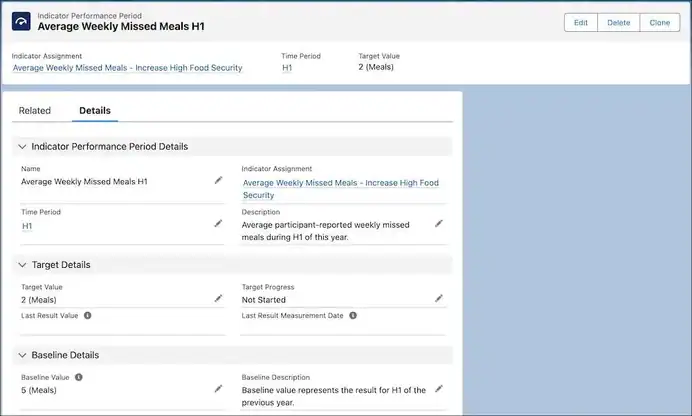
Actionable Relationship Centre (ARC)
The Actionable Relationship Centre (ARC) is a dynamic feature integrated into Salesforce Nonprofit Cloud, designed to enhance engagement and relationships with constituents. ARC acts as a centralized hub, allowing nonprofit organizations to consolidate their interactions, communications, and relationships with donors, volunteers, and other stakeholders.
Create ARC Graph:
- Actionable Relationship Center (ARC) Setup: Configure the ARC to visualize relationships between programs, outcomes, activities, and indicators.
- Visualize Relationships: Use the ARC to easily view and manage the interconnected elements of your outcomes management system.

Program Management objects comparison
- Fundraising management has a completely different data model than NPSP. Nonprofit Cloud comes with 4 pre-built Fundraising apps: Philanthropy And Partnerships, Fundraising Strategy, Donor Engagement and Fundraising Operations each of which consists of a whole set of new objects that make it a complex solution. In NPSP fundraising and donors are managed through Opportunities and Recurring Donations objects.

- The Case Management object workflow in the new Nonprofit Cloud is similar to that in the NPSP package. However, there are also some differences in object names. For instance, Case Plans in NPSP become Care Plans in the new Nonprofit Cloud. The Client Notes object in NPSP has been replaced with the Interaction Summary object in Nonprofit Cloud.
Account Model
- Configure the Person Account: Set up the Person Account and customize the page layout according to your requirements. Add fields, create dynamic pages, and set up reports and dashboards.
- Configure the Business Account: Set up the Business Account and customize its page layout to fit your organizational needs.
- Configure Party Relationship Groups: Create group and household accounts by setting up Party Relationship Groups.
Create Relationships:
- Establish Party Role Relationships to define roles within groups or households.
- Set up Account Contact Relationships to track connections between accounts and contacts.
- Configure Contact Contact Relationships to monitor interactions between individual contacts.
- Define Account Account Relationships to manage relationships between different accounts.
Configure the Actionable Relationship Center (ARC):
Set up the ARC to easily view and manage relationships between accounts and contacts.
Why Person Accounts in Salesforce?
In the Salesforce Nonprofit Success Pack, every contact is automatically part of a related household. For example, if you create a contact record in NPSP called Sam Supporter, there will also be an Account record called Sam Supporter Household. In the new Salesforce Nonprofit Cloud data model, house holding is optional.
Using Salesforce’s Person Accounts in the Nonprofit Cloud allows for tracking additional types of relationships with standard Salesforce junction objects.
This includes:
- Traditional households, blended families, extended multi-household relationships, etc.
- Timebound relationships – an employee of an organization
- A dependent who was formerly a member of a household but now has started their own, etc.
We Already Have NPSP… Do We Need To Change Over?
For existing Nonprofit Success Pack (NPSP) customers, the addition of Nonprofit Cloud may raise some questions. According to Salesforce, the two solutions will coexist, and customers will be able to choose which solution best meets their needs. Salesforce has stated that it will continue to support NPSP and will work with customers to help them migrate to Nonprofit Cloud if and when they are ready.
However, it’s worth noting that this isn’t the first time that NPSP customers have had to make a choice about upgrading to a new version. In 2015, Salesforce released NPSP version 3, which was a major upgrade from the previous version. This upgrade included a range of new features and improvements, but it also required customers to go through a migration process.
The migration process from NPSP version 2 to version 3 was not without its challenges. Some customers reported issues with data migration and customization, and there were concerns about compatibility with third-party apps. However, Salesforce worked closely with customers to address these issues, and many organizations successfully made the transition to the new version.

Should Our Organization Make The Migration from Salesforce NPSP to Nonprofit Cloud?
We break this down into three types of profiles:
- Current NPSP Customers
- Current Salesforce Customers (Not Using NPSP)
- Net New to Salesforce (Not Current Customers)
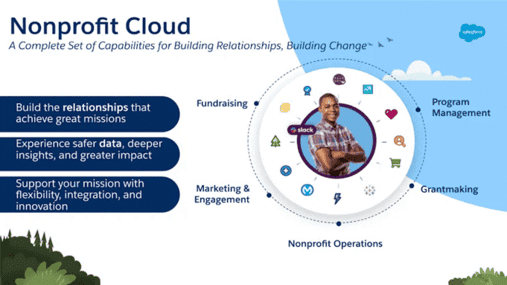
For Current Salesforce NPSP Customers:
Current Salesforce Nonprofit Success Pack Customers should stick with Nonprofit Cloud in most instances. There are many reasons for this, but predominantly it boils down to the fact that transitioning to the new Nonprofit Cloud requires migrating to a brand new Salesforce org due to the substantial change in data model. This can be a very disruptive change for any organization who’s been a NPSP customer for a long time.
If you’re an existing NPSP customer, here are some more reasons you might want to consider staying put.
- Address management is not currently available in Nonprofit Cloud but is on the roadmap.
- Customizable Roll-ups are not currently part of Nonprofit Cloud but are on the roadmap.
- Nonprofit Cloud for Program Management and Case Management are different than the configuration and object model of these solutions that already exist within the Nonprofit Success Pack and current users may not see feature parity.
- Organizations taking advantage of Volunteers 4 Salesforce (V4S) have not been given an answer as to whether V4S will work with Nonprofit Cloud.
- Salesforce will continue to maintain support for NPSP customers indefinitely.
For Current Customers (Not Using NPSP):
Current customers of Salesforce that are not currently using NPSP could go either way and it depends on a wide variety of factors. Generally speaking though, here are some considerations for Current Customers Not Using Nonprofit Success Pack:
- Transitioning to the new Nonprofit Cloud requires migration to a new Salesforce org due to the changes in the data model. This is the same for accounts using person accounts or not using person accounts.
- Clients already using Salesforce should consider which functionalities they will gain versus the functionalities they may lose in switching to Nonprofit Cloud at this time.
- Salesforce is currently focused on organizations just getting started with Salesforce as opposed to asking existing customers to migrate – more to come on this at a later date.
- Sales Cloud and Service Cloud licenses are included in the cost of the Nonprofit Cloud license and could be cost saving for those already using or wanting to use Service Cloud.
- The licensing cost is more expensive than the previous licensing cost so it will be helpful to do a cost-benefit analysis on the best option.
For Net New Customers Who Are Not Current Salesforce Customers:
Similarly to Current Customers, New New customers also have a few decisions to make when it comes to which Salesforce technology they side with for their next project. Here are some considerations for Net New Customers that do not currently own Salesforce:
- Net new Salesforce customers should assess what they need to manage in the system and when it will be needed. If the emphasis is on managing programs and clients, case management with program participants, or requires similar functionality, they could be a good fit for the new Nonprofit Cloud (NPC).
- Nonprofit Cloud is advancing swiftly, capable of handling a vast majority, if not all, of what was achievable in NPSP, and even surpasses it in certain aspects. If a tool you intend to use isn’t currently compatible with NPC, we suggest holding off as most are expected to be ready in the next few months.
- In some cases, it may be beneficial for a client to use the NPSP and related products until Nonprofit Cloud has time to catch up and eventually exceed existing functionality. The cost of migration and re-implementation should be considered if the client decides to use the other nonprofit products and may want to switch at a later date.
Summary
Overall, the addition of Nonprofit Cloud to Salesforce’s industry solutions portfolio is an exciting development for nonprofit organizations. With its advanced features and capabilities, Nonprofit Cloud has the potential to help organizations better achieve their missions and make a greater impact in their communities.
Both NPSP and Nonprofit Cloud provide a ton of value to small nonprofit teams looking to improve donor relationships, streamline their program management, and better track their fundraising goals. With the Spring ’24 release, NPC leapfrogs NPSP to be the most functional fundraising product Salesforce offers.

