Introduction
Here are just a few reasons why MuleSoft can be a valuable asset for your organization:
- Reduce Costs: Integrations have traditionally been expensive due to their complexity and the resources required. Custom integrations often lack reusability, leading to inefficiencies and ongoing maintenance costs. MuleSoft provides reusable integrations with Universal API Management and pre-built integration templates.
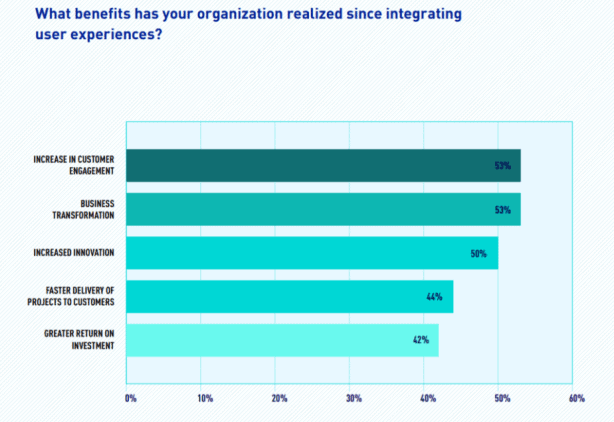
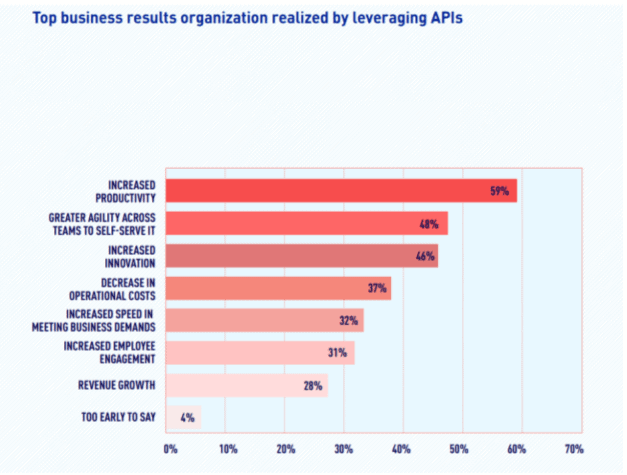
- Increase Customer Engagement: Integrated end-user experiences can significantly boost customer engagement. According to the 2021 Connectivity Benchmark Report, 53% of respondents reported increased engagement, which is essential for driving sales.

- Enhance Internal Productivity: Connected internal experiences offer numerous benefits, with 59% of respondents in the 2021 Connectivity Benchmark Report noting a productivity increase. Empowering admins or “no-code” developers is crucial for enhancing agility and productivity.

- Complete Data Visibility: Eliminating data silos and consolidating data enables precise identification of issues and areas for improvement. With tight budgets, businesses must carefully analyze where to invest and where to cut back.
- Increase Revenue: The 2021 Connectivity Benchmark Report indicates that 28% of respondents saw additional revenue growth from APIs. By providing integrated, digital experiences, organizations can enhance revenue streams through MuleSoft’s robust integration capabilities.
How do Salesforce and MuleSoft work together?
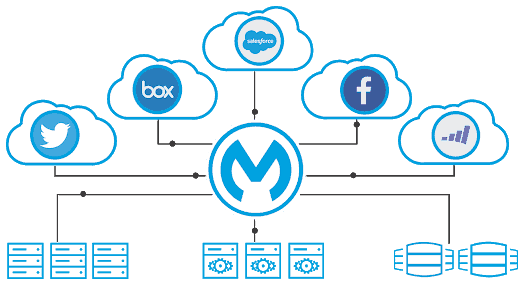
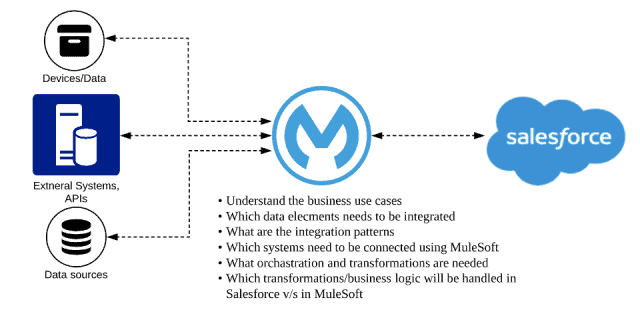
Customer 360 brings all your business systems together to create a single view of the customer. MuleSoft is a powerful piece of the puzzle here. In order for all your business systems to communicate and share customer data — both inside and outside of Salesforce — they need to be integrated.
Overall, the collaboration between MuleSoft and Salesforce exemplifies how modern enterprises can leverage integration technologies to drive operational efficiency, improve data accuracy, and ultimately, deliver exceptional customer experiences in today’s competitive landscape.

Unlocking the Value of Raw Data with Salesforce and MuleSoft
Masses of raw data are captured daily to establish baselines, benchmarks, and goals for organizations. However, without proper analysis, most of this data holds little value.
Salesforce, renowned for its powerful CRM solutions, complements MuleSoft’s integration prowess by providing a centralized platform for customer data management and engagement. By integrating Salesforce with MuleSoft, organizations can achieve unified data visibility, enhance customer insights, and automate workflows seamlessly.
The key advantage of Salesforce is its ability to view data in real-time, producing tangible results. In addition to native Salesforce reporting, here are other popular tools for data visualization within Salesforce:


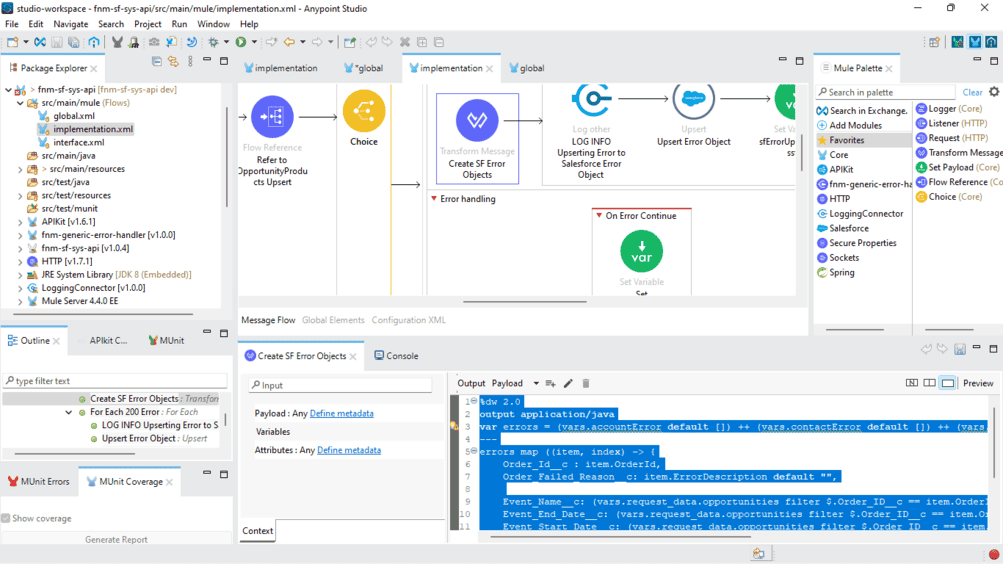

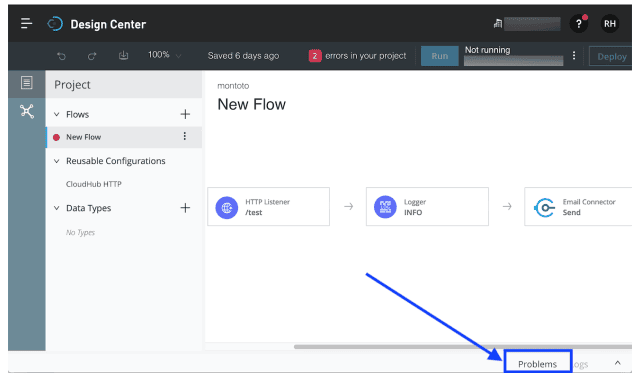
- Design Center: Provides a graphical display of your build with indicators showing order, element hierarchy, and triggers.
- Triggers and Connectors: Access a library from the MuleSoft Anypoint Exchange to minimize the effort required to duplicate processes.
- Mapping and Transforming Data: Features an automatic data mapping tool.
- Error Handling and Debugging: Includes a “Problems” button that presents errors in simple terms.
MuleSoft Anypoint Platform
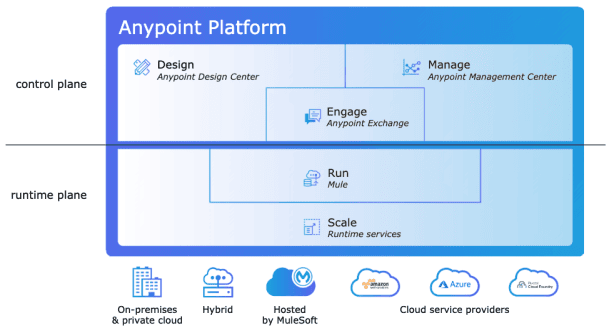
Anypoint Platform is MuleSoft’s flagship product, designed to empower low-code users with composable building blocks, reducing the burden on developers.
Anypoint Code Builder
An integrated development environment (IDE) for creating APIs and integrations. The desktop version is available to all customers, while the cloud version is in beta, with general availability expected in Q2 2024. Anypoint Code Builder focuses on productivity, ease of use, and a familiar developer experience using open-source VS Code.
Einstein for Anypoint Code Builder
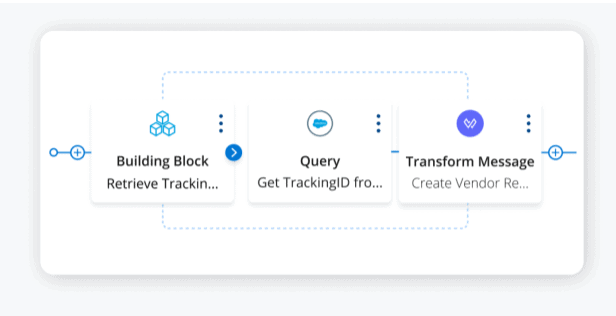
This feature uses natural language prompts to generate code and integration flows, providing a visual representation of the code and business logic to connect systems.

Anypoint Code Builder for Industries
Aligning with Salesforce’s Industry Cloud mission, Anypoint Code Builder offers packaged solutions for healthcare, financial services, and retail, providing template solutions for common integration use cases.
Universal API Management
Effective API building and sharing are crucial. MuleSoft’s Universal API Management addresses this by maintaining security across APIs, even those spread across different gateways and platforms.
- Anypoint Flex Gateway: A fast, lightweight gateway providing security and manageability across any API.
- Anypoint API Governance: Ensures compliance with security regulations, industry standards, and internal design standards without adding overhead to development processes.

Features of MuleSoft (Mule 4)
Mule 4 enhances Mule 3’s capabilities with:
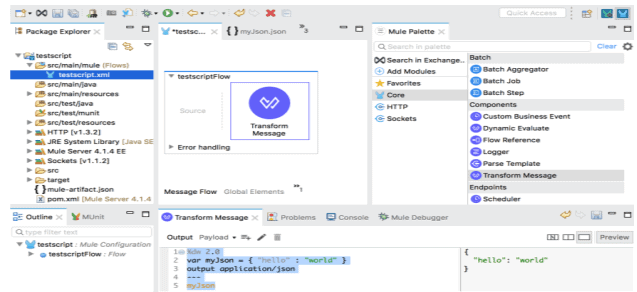
- DataWeave: DataWeave, the default expression language in MuleSoft, has effectively replaced the older Mule Expression Language (MEL) used in previous versions. Although DataWeave is not entirely new, it has undergone significant enhancements, making it a favorite among developers since its introduction in 2015.
- Error Handling: Enhanced error handling with the Mule runtime engine providing detailed error information and routing options. In MuleSoft, error handling has undergone a significant transformation from traditional Java exception handling.
- Connectors: New triggers in connectors for running queries in target systems and improved File and FTP connectors. Anypoint connectors have introduced new triggers that empower developers to execute queries directly in target systems.
- Mule SDK: An upgraded SDK allowing developers to create new connectors and components with improved collaboration and forward compatibility. This enhancement empowers developers to push the boundaries of what Mule can achieve by facilitating the creation of new connectors with enhanced collaboration capabilities.
MuleSoft Composer
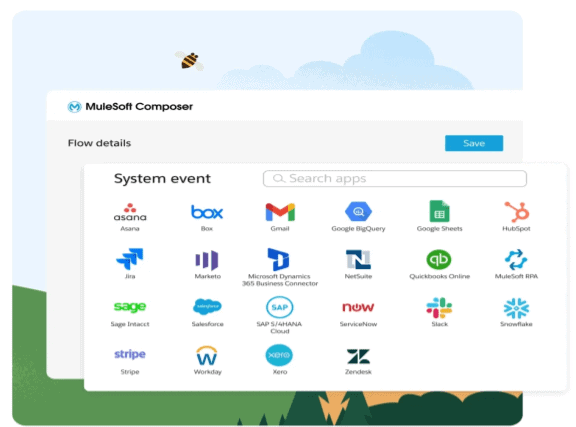
MuleSoft Composer, embedded within Salesforce, offers a declarative interface for creating integrations, simplifying the integration process and accelerating business innovation.
Batch Processing in Mule
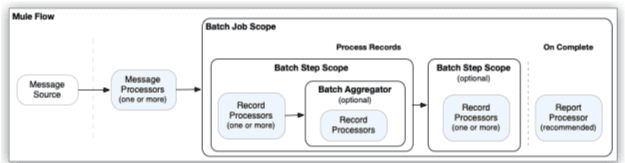
MuleSoft supports batch processing, enabling the creation of APIs that read, transform, and update information across multiple sources. For example, creating a batch process to sync new opportunities in Salesforce with Trello cards.
MuleSoft’s “For Each” Connectors
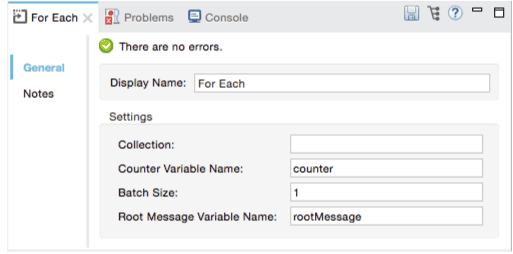
MuleSoft provides “For Each” and “Parallel For Each” connectors, which iterate through elements of a collection. Choosing the appropriate connector is crucial for the success of your APIs.
Anypoint Exchange
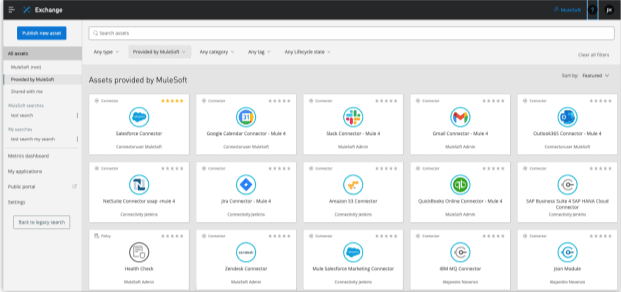
Similar to Salesforce AppExchange, Anypoint Exchange offers connectors, accelerators, and integration patterns to streamline your projects.