
Payment Operations Simplified: Kulturra Payment Center for Salesforce, From Invoice to Cash
Kulturra Payment Center puts card and ACH payments, invoices and recurring billing on the Salesforce records your team already uses. This guide explains what it does in 2026, which processors it supports, how it handles card data, what each edition includes, where it stops, and how to implement it so finance trusts the numbers.
Key Takeaways
- Kulturra Payment Center is a native Salesforce app, installed from AppExchange as a managed package, for card and ACH payments, invoices, recurring billing, reminders and a customer payment portal. Kulturra now markets it as "Kulturra for Salesforce".
- Payments, invoices and their balances are Salesforce records, so "has this customer paid?" is answered on the account, not in a gateway portal or an accounting tool.
- It works with the processor you already use. Kulturra's knowledge base names 28 processors, including Stripe, Authorize.Net, PayPal, CardConnect, Adyen and Braintree, plus 120+ more gateways.
- Invoicing and recurring billing start at the Enterprise edition of Kulturra, and online payment pages need Salesforce Enterprise edition or above.
- It is not an accounting ledger. Revenue recognition, the month-end close and payables stay in your accounting system, so plan the handoff from day one.
What is Kulturra Payment Center? Kulturra Payment Center is a Salesforce-native payments and invoicing application from Kulturra.com, Inc. It installs into your org from AppExchange and lets your team take credit card and ACH payments, send invoices and payment links, run recurring billing with automatic retries, and report on receivables, all on the accounts, opportunities, quotes and custom objects you already use in Salesforce.
We first published this guide in 2024. This version is rebuilt from Kulturra's product pages, knowledge base, pricing page and AppExchange listing, checked on October 27, 2026. It corrects several feature claims the old version made that Kulturra does not document, and adds processors, security, editions, limits and an implementation plan. It is written for finance, RevOps and Salesforce admins at growing and mid-market companies that sell in Salesforce and still collect money somewhere else.
What Is Kulturra Payment Center, and Is It Now Kulturra for Salesforce?
Yes: Payment Center is the product Kulturra now sells as "Kulturra for Salesforce". The website and AppExchange listing use the new name, while the app itself still uses "Payment Center" for its settings tab, dashboard and report folder. It is a managed package with the namespace fw1, so you will see objects such as fw1__Payment__c in your org.
Because it is native, the data lives in Salesforce rather than being synced from an outside billing system. Kulturra states that it works with accounts, contacts, opportunities, quotes, orders and products, as well as custom objects. Its AppExchange listing went live on May 30, 2012. On October 27, 2026 it showed version 14.30.0, updated August 7, 2026, and a 4.98 rating from 310 reviews. Kulturra also sells a version for Litify, the legal practice platform built on Salesforce.

| Name you may see | Where | What it refers to |
|---|---|---|
| Kulturra for Salesforce | kulturra.com, current marketing | The Salesforce app this post covers |
| Kulturra Payment Center | In the app, older articles, older Twopir pages | The same app (settings tab, dashboard, report folder) |
| Kulturra - Credit Card & Payment Processing for Salesforce | AppExchange listing title | The same app |
| Kulturra for Litify | kulturra.com | The payment engine for Litify legal orgs |
What Does Kulturra Payment Center Do Inside Salesforce?
It covers six jobs: taking payments, invoicing, recurring billing, reminders, customer self-service and developer access. Each one writes its result to a Salesforce record. A payment shows up on the invoice and the account, a failed retry triggers an email, and a dashboard summarises receivables without anyone exporting data from a gateway.
Payments
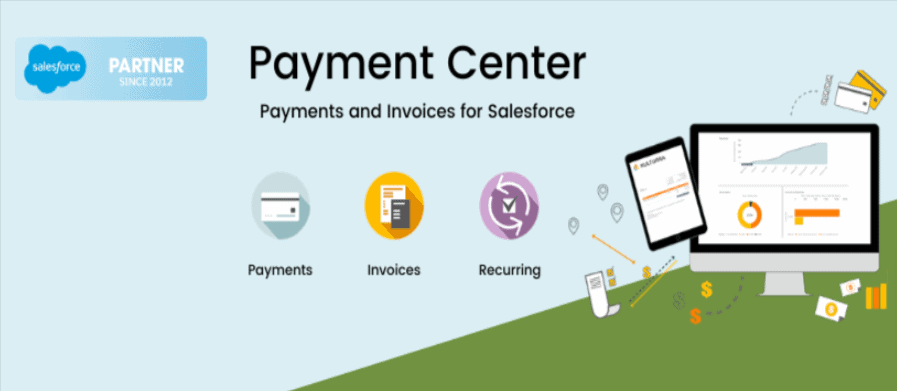
Credit card and ACH (eCheck) payments, with authorize, capture, void and refund from the record. Apple Pay and Google Pay are supported, and checks, cash and wires can be recorded.
Invoices
Customizable templates with discounts, shipping, tax and card surcharges. Bill down payments or installments, email or print invoices in bulk, and send statements.
Recurring billing
Schedules from daily to multi-year. Auto-BillPay charges a stored payment method, and dunning retries failed payments on fixed attempts or fixed intervals.
Reminders
Automatic emails for overdue invoices, upcoming due dates and expiring payment methods, plus a notice to the card holder after each failed automatic charge.
Self-service portal
In an Experience Cloud site, customers view and pay their own invoices, manage saved payment methods and see installments.
Developer access
A REST API for outside systems, Apex global classes such as fw1.PaymentProcessor inside Salesforce, and a payment component you can drop into a Screen Flow.
Features teams often miss
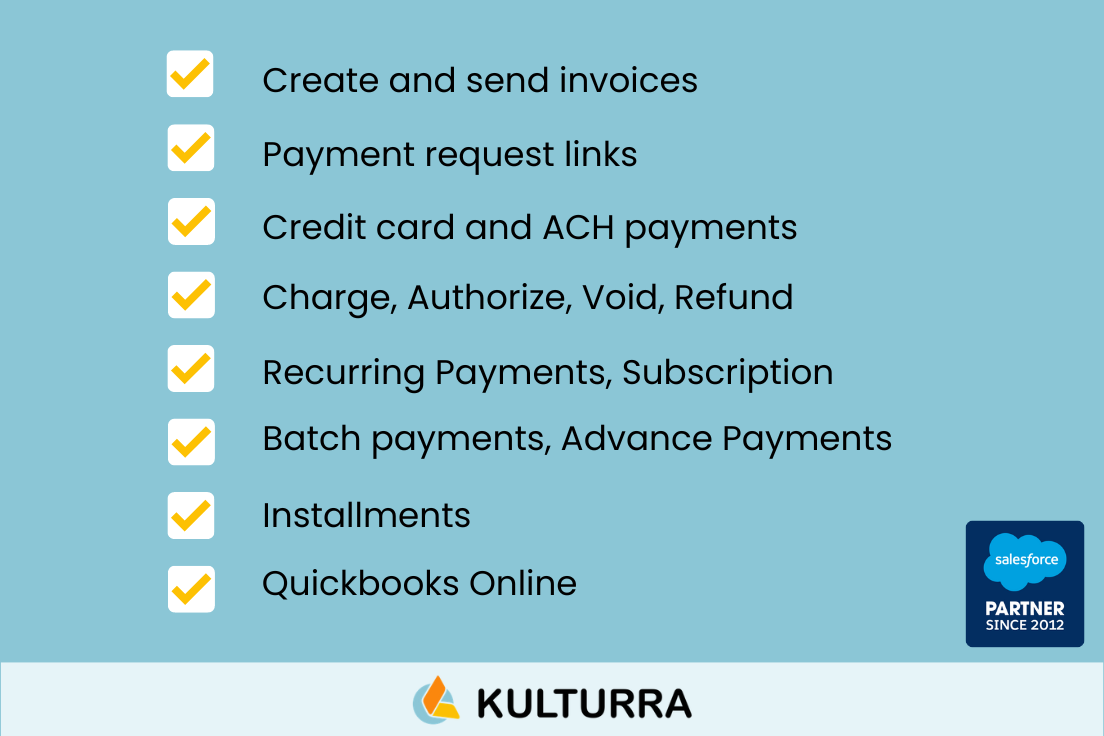
- Payment requests from any object. A button and email template send a payment link from a custom object, such as a booking or a matter, not only from an invoice.
- Batch payments. Enter checks against many invoices at once from a list view, in a spreadsheet-like screen. Overpayments become advance payments.
- Advance payments. Take a deposit on the account before any invoice exists, then apply it to invoices later.
- Refunds with credit memos. Full or partial refunds carry a reason. A full refund can close the invoice with a credit memo automatically.
- Multiple entities. Each entity has its own name, logo, invoice numbering, processor, bank details and terms, so payments land with the right company.
- In-person payments. The AppExchange listing names tap, chip and contactless payments through Square POS and Ingenico.
Details come from Kulturra's product page and knowledge base.
How Does a Payment Flow Through Salesforce with Kulturra?
The deal record becomes the invoice, the invoice carries the way to pay, and the result comes back to the same record. Nobody re-keys line items into an accounting tool or a gateway portal. A typical one-time sale moves through six steps, and a recurring one simply repeats steps 3 to 6 on a schedule.
Which Payment Processors and Gateways Does Kulturra Support?
Most mainstream processors, so you usually keep your current merchant account. Kulturra's supported processors list names 28 processors and adds 120+ more gateways. When you install the app, every supported processor is created as a record. You pick yours, enter its API credentials, and can add more processors for other entities.
| Group | Processors named by Kulturra |
|---|---|
| Common gateways | Stripe, Authorize.Net, Braintree, Adyen, CyberSource, NMI, Square, Clover |
| PayPal | PayPal Payments Pro, PayPal Payflow Pro (customers can also pay with a PayPal account or PayPal Credit) |
| Merchant processors | CardConnect, Converge, Elavon Cloud CPI, Moneris, Orbital, Fortis, BluePay, PayTrace, Cardknox, IPpay |
| Specialist and ACH | Flywire, Forte, ClearACH, OrbiPay, Payeezy, PayLeap, Recurly, Serve First Solutions |
Processor details that change the design
- Edition decides the processor. Kulturra's Starter edition runs on its own processor, Kulturra Pay. Pro and above are "bring your own" processor.
- Apple Pay is CardConnect only, and the button appears only in Safari or on an iPhone, according to Kulturra's Apple Pay article.
- Stripe needs API version 2019-02-19 or later on your Stripe account.
- Refund windows are set by the processor. Most will not refund a card payment older than about 90 days, so older refunds are paid by check or wire and recorded in Salesforce.
- Tokens belong to the gateway. If you change processor later, stored payment methods have to be moved or collected again, so choose with migration in mind.
If you do not have a processor yet, Kulturra says you can sign up with one directly. Kulturra.com, Inc. is also an independent sales agent for CardConnect.
How Does Kulturra Handle Card Data, PCI DSS and SOC 2?
Turn on tokenization, and Salesforce stores a gateway token instead of the card number. Kulturra says tokenization helps reduce your PCI DSS scope, and it publishes a SOC 2 Type II report in its trust center. The app does not make your company PCI compliant on its own. Your scope still depends on how your people and integrations collect card details.
What Kulturra documents. Tokenization stores a token on the payment profile. If you choose to store card numbers, they sit in PCI-compliant encrypted fields and only the last four digits show. Kulturra announced SOC 2 compliance in April 2026, and its trust center lists encrypted data and encrypted transmission.
What is still your job. Kulturra's card storage article notes that some processors (Authorize.Net, Forte, PayLeap and PayPal Payflow Pro) keep card details for captures, voids and refunds unless you turn that off. Card numbers pasted into notes, Chatter or emails are outside any app's control.
PCI DSS is the payment card industry's baseline of technical and operational requirements for any environment that stores, processes or transmits card data. The PCI Security Standards Council publishes it. In practice, a secure Kulturra setup has tokenization on, card storage off, refunds and voids limited by permission set, and a payment link or portal so nobody needs to take card numbers by email.
How Much Does Kulturra Cost, and Which Edition Do You Need?
Kulturra's list prices start at US$90 per company per month, but invoicing and recurring billing start at the Enterprise edition, US$600 per month. Prices are per company, with a set number of user licences included, and annual billing saves 16%. Kulturra licences are separate from Salesforce licences and can be assigned to any Salesforce user. A 30-day trial starts when you install the app.
| Kulturra edition | List price (monthly) | Licences included | Adds | Processor |
|---|---|---|---|---|
| Starter | US$90 per company | 5 (+US$18 each) | Payments, point of sale | Kulturra Pay |
| Pro | US$240 per company | 10 (+US$24 each) | Everything in Starter | Bring your own |
| Enterprise | US$600 per company | 20 (+US$30 each) | Invoicing and recurring billing | Bring your own |
| Unlimited | On request | Unlimited | Everything in Enterprise | Bring your own |
Prices as listed on Kulturra's pricing page on October 27, 2026, in US dollars. Kulturra notes the page is for information only, so confirm with Kulturra before you budget. The AppExchange listing also mentions discounts for nonprofits. Implementation is listed as a required service, and data migration, the accounting sync app, custom development and integrations are optional services.
Your Salesforce edition matters too
Online payment pages run on Salesforce Sites, which Kulturra says need Salesforce Enterprise edition or above. Check this before you plan emailed payment links or a customer portal, because both rely on the online payment page.
What Kulturra Payment Center Does Not Do
It runs receivables, not the books. Kulturra raises invoices, collects payments and tracks balances in Salesforce. The general ledger, revenue recognition, the month-end close and paying your own suppliers belong in your accounting system. The earlier version of this post listed several of those as features. We checked each against Kulturra's documentation and removed the ones it does not describe.
Connecting Kulturra to accounting
Kulturra lists integrations with Accounting Seed and AscentERP, both built on Salesforce. QuickBooks Online sync runs through Kulturra's separate app, Apphesive, an add-on for the Pro and Enterprise packages, as described in Kulturra's QuickBooks article. For NetSuite, Xero or another ERP, plan an integration through the REST API or middleware. If you want the ledger inside Salesforce too, our Accounting Seed implementation work covers that side.
Is Kulturra Payment Center Right for Your Business?
It fits best when Salesforce already runs your revenue and you want billing and collection on the same records. That covers subscription and membership businesses, professional services retainers, healthcare and education providers, and field teams that invoice after a job. It fits less well when your billing lives in an ERP, or when usage-based rating is the hard part of your billing.
| Billing motion | What raises the invoice | How the money arrives |
|---|---|---|
| One-off sale or project | Closed opportunity, quote or order converted to an invoice | Emailed payment link, card or ACH |
| Subscription or membership | Recurring invoice schedule | Auto-BillPay against a stored, tokenized method, with dunning |
| Retainer or installment plan | Down payment plus installment schedule | Automatic charge per installment, or ACH |
| Counter, clinic or event | Staff open the record with the customer present | Card terminal, tap or wallet |
| Custom object billing | Payment request from a booking, job or matter record | Link to the online payment page |
| Web checkout or another app | External system calls the REST API | Processed and recorded in Salesforce (custom build) |
What Kulturra's own customers report
Kulturra publishes customer stories, and they show the pattern. Nations Roof, a commercial roofer, replaced two separate apps and now creates work orders and invoices with roof photos inside Salesforce. Smithbucklin, an association management company, invoices booth space, sponsorships and advertising from closed opportunities in a multi-client org. Ascent Solutions automated its monthly and quarterly recurring customers and stopped re-keying payments into Xero. These are Kulturra's customers, and the results are as Kulturra reports them on its customers page.
When to look further
- Invoices are created in NetSuite or another ERP, and Salesforce only needs to show payment status.
- Pricing is usage-based or rated from metered data, and invoice amounts are calculated outside Salesforce.
- You need payments inside HubSpot rather than Salesforce. Kulturra's products are for Salesforce, Litify and monday.com.
Other Salesforce-native payment apps exist, and the right choice depends on your processor, billing motion and accounting system. We compare options during the audit described below, and our pages on Chargent and Blackthorn Payments cover two of them.
How Do You Implement Kulturra Payment Center Well?
Decide how money should move before you install anything. Installing the package takes little time. The decisions that matter are which object billing hangs off, which processor and entities you need, who may refund or void, what happens after the last failed retry, and how invoices and payments reach the ledger. Get those right and the configuration follows.
| Phase | Decisions and work | Done when |
|---|---|---|
| 1. Payment audit | Map today's invoice triggers, payment channels, processor, entities, month-end steps and any card data stored where it should not be | A signed-off list of requirements and edge cases |
| 2. Design | Billing object and record model; entities and processors; Kulturra and Salesforce edition; permission sets for refunds and voids; accounting boundary | Configuration and custom work separated in writing |
| 3. Configure in a sandbox | Install, connect the processor with test credentials, tokenization on, templates, recurring schedules, dunning, reminders, portal, dashboards | Declines, partial payments, refunds and voids tested, not only the happy path |
| 4. Migrate and go live | Open invoices, balances, schedules and stored payment methods; start the recurring scheduler; train finance and sales | First live billing run reconciles to the processor |
| 5. Run and improve | Review failed payments and retries; tune reminders; extend reports; keep up with package and Salesforce releases | Finance closes the month without a spreadsheet |
Two steps are easy to forget. Recurring invoices only run once the background scheduler is started, and eCheck settlement is checked once a day, so plan your go-live checks around both. If Kulturra is already installed but under-used, start with phase 1 anyway: most problems we see are design problems, such as billing attached to the wrong object, not installation errors. Our Kulturra consulting and implementation services cover all five phases, and our Kulturra Payment Center integration page explains the processor and accounting connections.
The Bottom Line
Kulturra Payment Center simplifies payment operations by putting the invoice, the payment and the balance on the Salesforce record that won the deal. It is a mature, well-reviewed app. It still needs a clear design for processors, entities, permissions and the accounting handoff. Twopir Consulting helps growing and mid-market companies plan, implement and extend Kulturra as part of their Salesforce revenue system, from the first payment audit to the first clean month-end.
- 1
Check editions first: Kulturra Enterprise for invoicing and recurring, Salesforce Enterprise for online payments.
- 2
Confirm your processor is on Kulturra's list, and choose it with future token migration in mind.
- 3
Turn tokenization on, card storage off, and limit refunds and voids by permission set.
- 4
Decide which object billing hangs off before you build templates or schedules.
- 5
Plan the ledger handoff: Accounting Seed, QuickBooks Online through Apphesive, or a custom integration.
Bring Invoicing and Collections Into Salesforce
Tell us how you invoice and get paid today, and which processor you use. We will show you what Kulturra covers as standard, what needs building, and what a clean invoice-to-cash flow in Salesforce looks like for your business.
Schedule a Discovery CallFrequently Asked Questions
Kulturra Payment Center is a native Salesforce app from Kulturra.com, Inc., installed from AppExchange as a managed package. It lets teams take credit card and ACH payments, send invoices and payment links, run recurring billing with automatic retries, and report on receivables on the Salesforce records they already use. Kulturra now markets it as Kulturra for Salesforce.
Yes. Kulturra for Salesforce is the current marketing name, and the AppExchange listing is titled Kulturra - Credit Card and Payment Processing for Salesforce. Inside the app, the Payment Center name remains on the settings tab, the dashboard and the report folder. A separate product, Kulturra for Litify, serves Litify legal orgs.
Kulturra's knowledge base names 28 processors, including Stripe, Authorize.Net, Braintree, Adyen, CyberSource, CardConnect, PayPal Payments Pro, PayPal Payflow Pro, Square, Clover, Moneris and NMI, plus 120+ more gateways. The Starter edition uses Kulturra Pay. Pro and higher editions let you bring your own processor, and you can add several for different entities.
Not when tokenization is on. Salesforce then stores a gateway token on the payment profile instead of the card number. If you choose to store card numbers, Kulturra keeps them in PCI-compliant encrypted fields and shows only the last four digits. Some processors, such as Authorize.Net, keep details for refunds unless you turn that off.
On October 27, 2026, Kulturra listed Starter at US$90, Pro at US$240 and Enterprise at US$600 per company per month, with 5, 10 and 20 licences included. Unlimited is priced on request. Invoicing and recurring billing start at Enterprise. Annual billing saves 16%, a 30-day trial starts on install, and implementation is a required service.
Kulturra's online payment pages run on Salesforce Sites, which Kulturra says need Salesforce Enterprise edition or above. Emailed payment links and customer portal payments use those pages, so confirm your Salesforce edition before you plan them. The customer portal itself runs on Experience Cloud.
No. Kulturra handles invoicing, payments and receivables in Salesforce, but it is not a general ledger and does not describe revenue recognition, the month-end close or accounts payable. It integrates with Accounting Seed and AscentERP, and QuickBooks Online sync runs through Kulturra's separate Apphesive app. Other ERPs need an integration.
Yes. Customers can pay from an emailed invoice or payment request link by card, ACH or a digital wallet, and PayPal accounts are accepted when PayPal is the processor. In an Experience Cloud portal, they can view and pay their own invoices, manage saved payment methods and see installment schedules.
