
Introduction
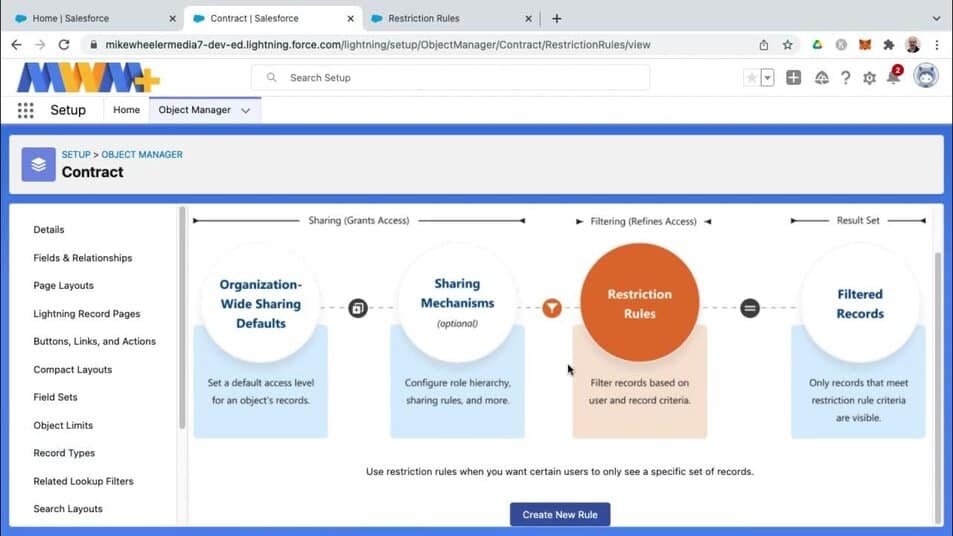
Restriction rules let you enhance your security by allowing certain users to access only specific records. They prevent users from accessing records that can contain sensitive data or information that isn’t essential to their work. Restriction rules filter the records that a user has access to so that they can access only the records that match the criteria you specify.
You can create up to two active restriction rules per object in Enterprise and Developer editions and up to five active restriction rules per object in Performance and Unlimited editions. Restriction rules are applied to the following Salesforce features:
- List Views
- Lookups
- Related Lists
- Reports
- Search
- SOQL
- SOSL
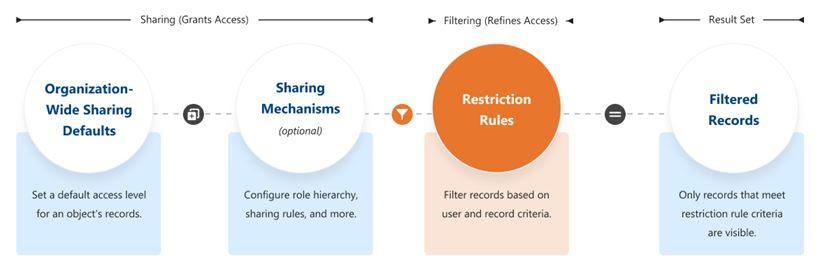
When a restriction rule is applied to a user, the records that the user is granted access to via org-wide defaults, sharing rules, and other sharing mechanisms are filtered by criteria that you specify. For example, if users navigate to the Today’s Tasks tab or to a list view for activities, they see only the records that meet the restriction rule’s criteria. If a user has a link to a record that is no longer accessible after a restriction rule is applied, the user sees an error message.
When Do I Use Restriction Rules?
Use restriction rules when you want certain users to see only a specific set of records. Restriction rules can simplify controlling access to records with sensitive or confidential information. Access to contracts, tasks, and events can be difficult to make truly private using organization-wide defaults, making restriction rules the best way to configure this visibility.
For example, you have competing sales teams that can’t see each other’s activities, even though these activities are on the same account. With restriction rules, you can make sure that sales teams see only activities that belong to them and are relevant to their work. Or, if you provide confidential services to various individuals, use restriction rules so that only team members responsible for supporting these individuals can see related tasks.
When creating more than one restriction or scoping rule, configure the rules so that only one active rule applies to a given user. Salesforce doesn’t validate that only one active rule applies for a given user. If you create two active rules, and both rules apply to a given user, only one of the active rules is observed.
Before creating restriction rules, we recommend that you Turn Off Salesforce Classic for Your Org. Salesforce can’t guarantee that restriction rules work as intended for end users who are in the Salesforce Classic experience.
How Do Restriction Rules Affect Other Sharing Settings?
Users get access to records based on your organization-wide defaults and other sharing mechanisms such as sharing rules or enterprise territory management.
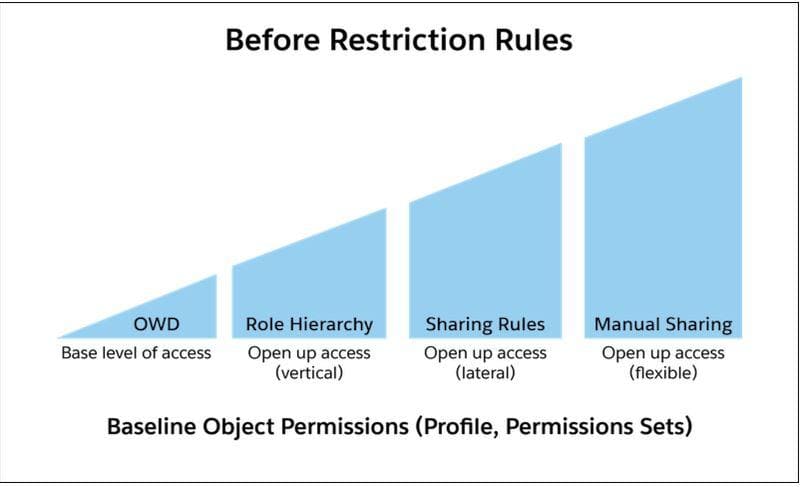
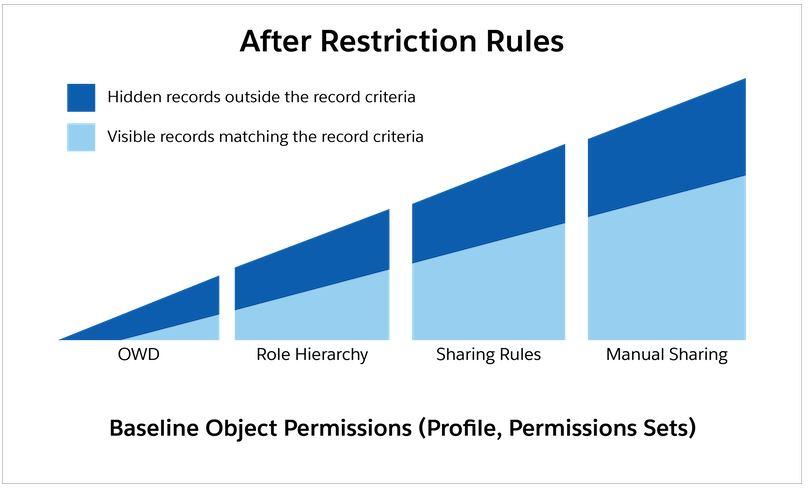
When a restriction rule is applied to users, the data that they had read access to via your sharing settings is further scoped to only records matching the record criteria. This behavior is similar to how you can filter results in a list view or report, except that it’s permanent. The number of records visible to the user can vary greatly depending on the value that you set in the record criteria.
How Do I Configure Restriction Rules?
You can create and manage restriction rules by navigating to a supported object in the Object Manager. Or use the RestrictionRule Tooling API object or RestrictionRule Metadata API type. For more information on using the API, see the Restriction Rules Developer Guide.
Create a Restriction Rule:
Control the records that a specific user group is permitted to see. When a restriction rule is applied to a user, the data that the user has access to via org-wide defaults, sharing rules, and other sharing mechanisms is filtered by the record criteria that you specify.Restriction Rule Considerations:
Keep these considerations and limitations in mind while using restriction rules.Restriction Rule Example Scenarios:
Refer to these sample restriction rules, which fulfill different access requirements.
Where can Restriction Rules be available and applied? Enhance your org’s security with restriction rules
As of now, Restriction Rules are available for:
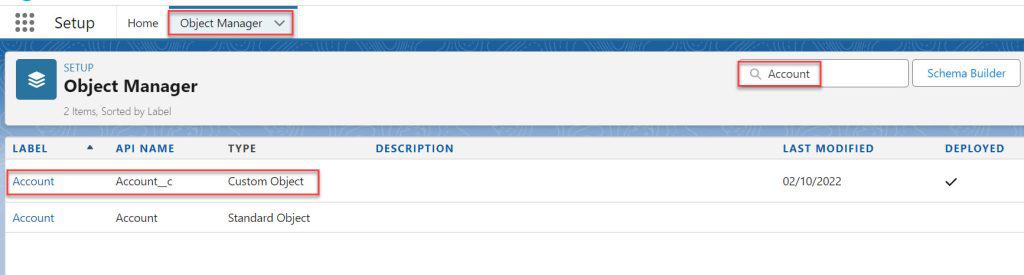
1. Custom Objects:
- Custom objects are objects created to store information that’s unique to your organization.
- Restriction Rules allow you to limit visibility of custom object records based on criteria such as field values, user roles, or profiles.
- Example: You might restrict sales representatives to only see custom object records that are related to their assigned accounts.

2. Contracts:
- Contracts are used to represent agreements with your customers or partners.
- By applying Restriction Rules, you can control which contracts are visible to different users based on criteria such as account ownership or contract status.
- Example: Only users in the Legal department can view contracts that are currently in negotiation.

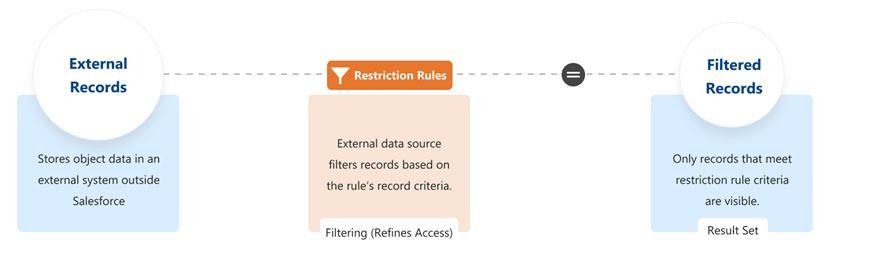
3. External Objects:
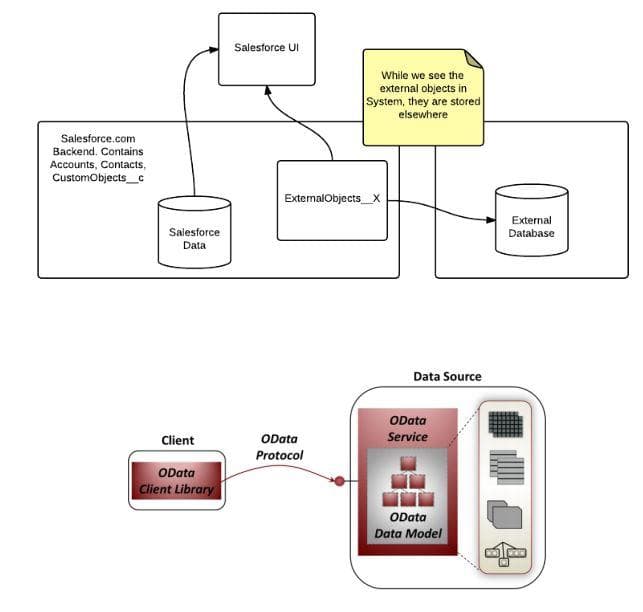
- External objects are used to integrate Salesforce with external data sources.
- Restriction Rules on external objects can limit user access to records from these external data sources, based on certain criteria.
- Example: Restrict access to external object records to users with specific data integration permissions.

4. Events:
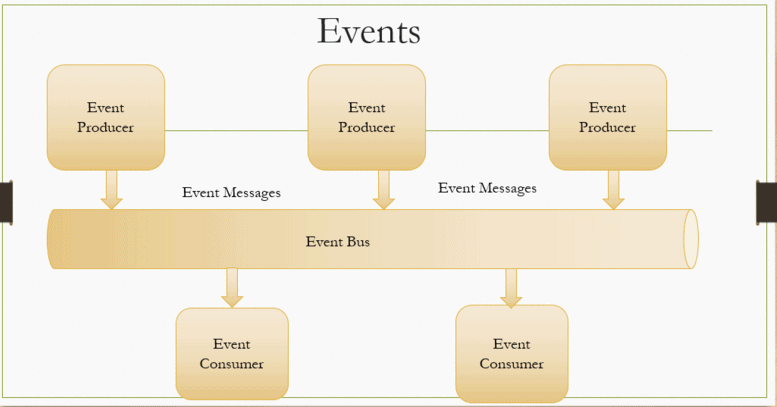
- Events in Salesforce are used to represent scheduled calendar events.
- With Restriction Rules, you can limit visibility of events based on factors such as who created the event or the event type.
- Example: Only users within the same team can view each other’s scheduled events.

5. Time Sheets:
- Time Sheets track the hours employees have worked.
- Restriction Rules can be used to ensure that users only see their own time sheets or those of their direct reports.
- Example: Only a manager can view the time sheets of their team members.
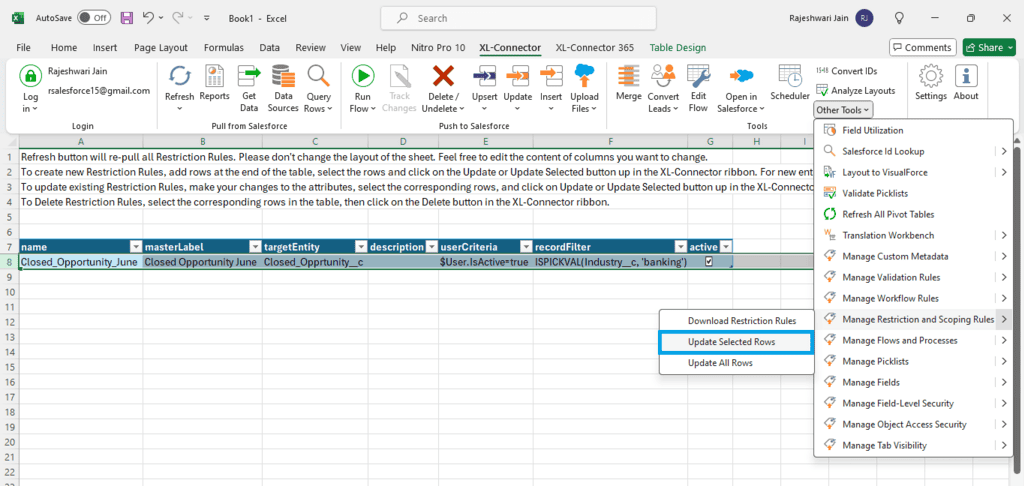

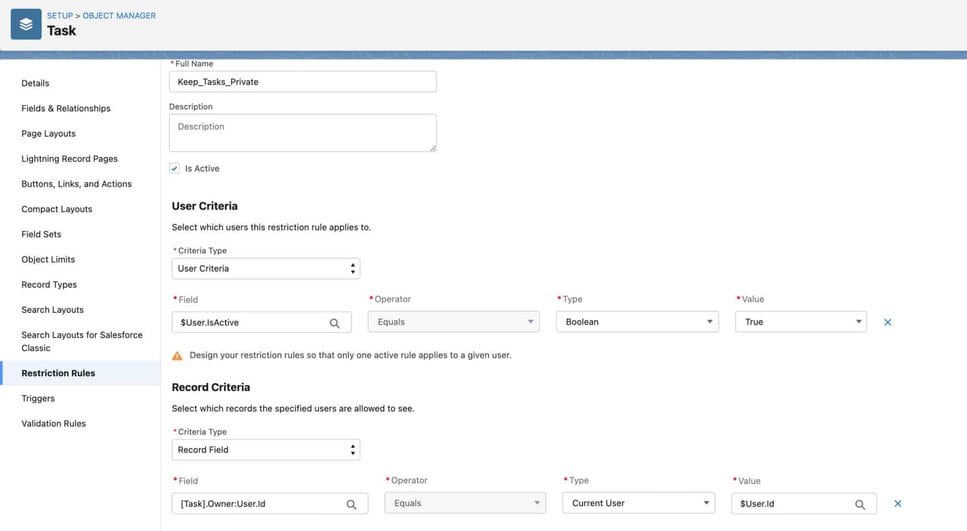
6. Tasks:
- Tasks represent activities that users need to complete.
- Applying Restriction Rules to tasks can restrict visibility based on the task owner or the related record.
- Example: Restrict access to sensitive tasks to only those users directly involved in the related project.

Summary
If you have users that should only have access to a specific subset of records, restriction rules provide another layer of security that you can layer on top of your existing org-wide defaults, sharing rules, and other settings. Restriction rules also allow you to configure your access so that custom objects, timesheet, timesheet entries, contracts, tasks, and events are completely “Private,” even for users with access to related accounts, which previously wasn’t possible.
