
Boost CRE Growth with Rethink CRM and Salesforce
Rethink is a commercial real estate CRM that runs inside Salesforce, sold today as Rethink by Buildout. This guide explains how the two fit together, which features actually move deals, what changed in the 2025 and 2026 releases, and the setup decisions that decide whether a brokerage grows on it or just stores data in it.
Key Takeaways
- Rethink CRM is a commercial real estate (CRE) CRM installed in Salesforce as a managed package. Buildout acquired it in February 2021 and sells it as Rethink by Buildout, with a data-and-AI tier called Rethink+.
- Brokers usually run on the Salesforce Platform licence, which excludes standard Leads, Opportunities and Campaigns. Rethink's own Inquiries, Prospects and Deal Pipeline do that work, so automation is built with Flow, not lead assignment rules.
- The features that move revenue are GEOsearch, representation-specific deal pipelines, automatic comps from closed deals, property matching, Action Plans and the Showcase sync.
- The 2026 releases added Rethink Alerts, modernised Action Plans, a native Slack integration that replaces Chatter, map drawing tools and owner unlocks from property records.
- Growth comes from configuration discipline: routing and follow-up rules, complete deal data at close, clean contacts and customisations that survive package upgrades.
Rethink CRM on Salesforce gives a commercial real estate brokerage two things in one system: a CRM designed around properties, spaces, deals and comps, and the Salesforce platform underneath it. That combination is why many brokerages choose it, and also why so many use only part of it. The real estate screens get adopted; the platform features that would route inquiries, enforce follow-up and keep data clean often stay switched off.
This guide is for broker-owners, operations leaders and Salesforce admins at growing and mid-market companies in commercial real estate who run Rethink or are considering it. It explains what the product is today, how it sits on Salesforce, which features drive growth, and the decisions we see make the biggest difference when we work in Rethink orgs.
What Is Rethink CRM in 2026?
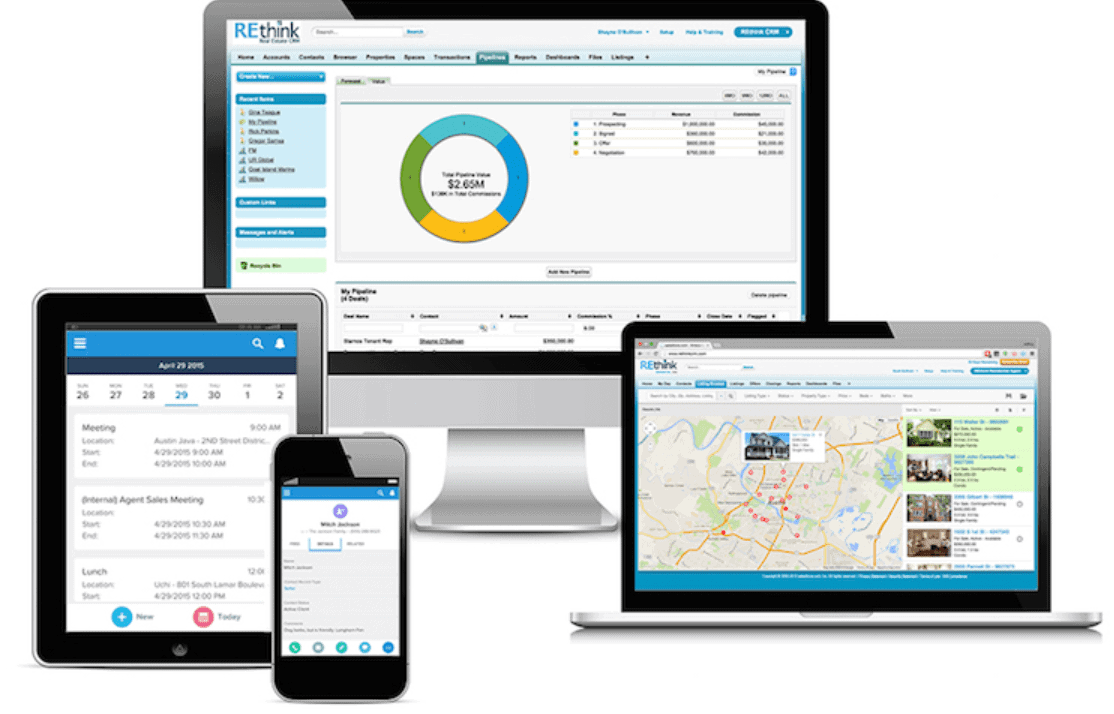
Rethink is a commercial real estate CRM built entirely on Salesforce and owned by Buildout. It installs into a Salesforce org as a managed package that upgrades automatically, and it adds real estate records such as properties, spaces, deals, comps, offers and site selections. It is built for brokers working in investment sales, leasing, tenant rep and capital markets.
Buildout, a Chicago-based CRE software company, announced its acquisition of Rethink on February 23, 2021. The product is now marketed as Rethink by Buildout and is still listed on the Salesforce AppExchange, where Buildout describes it as "a native CRE CRM app built entirely on the Salesforce platform".
| Question | Answer (October 2026) |
|---|---|
| Who owns it? | Buildout, since the acquisition announced in February 2021 |
| What is it built on? | Salesforce, installed as a managed package that receives automatic upgrades |
| Who is it for? | Commercial brokers, agents, property managers and investors, according to the AppExchange listing |
| What plans exist? | Rethink (core CRM) and Rethink+ (adds property and ownership data, AI owner research and predictive signals) |
| What does it cost? | AppExchange lists Rethink from $129 per user per month; Buildout's plan page shows Rethink at $129 and Rethink+ at $299. Confirm current pricing with Buildout. |
| Latest release? | v3.53, Summer 2026, per Buildout's help centre (the AppExchange listing still shows an older version number) |
One practical warning: the product's former website domain no longer belongs to the product and now serves unrelated content. Use Buildout's site and the Rethink help centre for documentation, and update any old bookmarks or internal training links.
How Do Rethink and Salesforce Fit Together?
Think of four layers: the Salesforce platform, the Rethink package on top of it, Buildout's data and marketing products beside it, and your own integrations around it. Rethink supplies the real estate model. Salesforce supplies security, automation, reporting and mobile. Knowing which layer owns a job tells you where to configure it and who supports it.
Security, Automation, Reporting and Mobile
Users, profiles and sharing rules; Flow; validation, matching and duplicate rules; Lightning record pages and Dynamic Forms; reports and dashboards; the Salesforce mobile app; Einstein Activity Capture for email and calendar. Rethink's help centre documents all of these for admins.
The Commercial Real Estate Model
Properties, Spaces/Units, Deal Pipeline (Buyer Rep, Seller Rep, Landlord Rep and Tenant Rep), Comps, Inquiries/Requirements, Prospects, Offers, Site Selections, Invoices, Lists, Action Plans, GEOsearch and stacking plans.
Marketing and Property Data
Buildout Showcase for listing marketing, with a one-way or two-way sync of deals, properties, spaces, leads and comps. Rethink+ property and ownership data, which Buildout says is "fueled by Prospect by Buildout".
Email, Phones, Documents and Collaboration
Outlook or Gmail through Einstein Activity Capture, dialers, document generation, e-signature, marketing automation, Slack and other AppExchange apps. Buildout lists options its customers use, but states it doesn't support or endorse third-party applications, so this layer is yours (or your partner's) to own.
What Does the Salesforce Licence Mean for a Rethink Brokerage?
Most Rethink users sit on the Salesforce Platform licence, which covers custom and AppExchange apps but not standard Leads, Opportunities, Campaigns or Forecasts. That is why Rethink tracks demand in its own Inquiry and Prospect records and deals in Deal Pipeline. It also means lead-only Salesforce tools don't apply to brokers, and automation is built with Flow on Rethink's objects.
Rethink's help centre describes three user types, and Salesforce's licence documentation explains what the Platform licence includes:
| User type | Salesforce licence | What they can do |
|---|---|---|
| System Administrator | Salesforce | Full access: users, sharing rules, fields, layouts, flows, validation rules, reports and AppExchange installs. The Platform broker licence is not enough for this role. |
| Rethink Advanced User | Salesforce Platform | Read, create, edit, delete and view all records, including other users' records; Deal Pipeline records are view-only by default. |
| Rethink Standard User | Salesforce Platform | Works only on the records they own, which keeps each broker's deals and contacts private. |
What this changes in practice:
- Routing: Salesforce lead assignment rules work on the standard Lead object, which Platform users can't use. Route Rethink inquiries with a record-triggered flow instead.
- Add-ons: before buying a Salesforce product or AppExchange app for brokers, check that it works with Platform-licensed users and Rethink's custom objects, not only with Leads and Opportunities.
- Administration: Rethink's help centre notes that Salesforce allows one system administrator for every 50 users, so name an admin (or a partner) who has the time to own the org.
Which Rethink Features Actually Drive Growth?
The features that grow revenue are the ones that create the next deal or speed up the current one: map-based prospecting, representation-specific pipelines, automatic comps, property matching, property emails, Action Plans and the Showcase sync. Each is documented in Buildout's help centre, and each depends on brokers entering complete data.
| Feature | What it does | Growth lever |
|---|---|---|
| GEOsearch | Map search across properties, spaces, deals, comps, companies or contacts, with radius and polygon tools. Results become prospecting lists, emails, PDFs, Google Maps tour maps or CSV exports. | Prospecting |
| Deal Pipeline | Separate pipelines for buyer, seller, landlord and tenant representation, in Table or Kanban view. Tenant Rep stages run from Prospect and Pursuit through Survey/Tours, RFP and Lease Execution to Closed. | Deal velocity |
| Automatic comps | Closing a deal creates a sale or lease comp, filled from the deal: address, parties, price, cap rate, size, market and submarket. | Market authority |
| Property matching | Suggests on-market properties for each inquiry or requirement, weighted on price, square footage, class, cap rate and availability date. A match can start a new deal or join an existing one. | Conversion |
| Property Sites | Emails a filtered set of properties or spaces as formatted listings. When the client completes the form, Rethink creates an Inquiry on that contact. | Conversion |
| Action Plans | Reusable task templates with order, relative due dates, owners and reminders. They can be applied by hand or automatically when a record meets criteria, on deals, properties, prospects, offers and more. | Consistency |
| Commission invoices | Invoices raised from a deal, with the gross commission filled in, line items, an approval step and email delivery. | Cash flow |
| Showcase sync | Syncs deals, properties, spaces, comps and leads with Buildout Showcase. Showcase leads arrive in Rethink as Inquiries under the property or deal. | Marketing reach |
Buildout itself calls out Action Plans, Prospecting Lists, and Offers and Site Selections as features brokers often underuse. In our experience the pattern is the same: the screens are there, but nobody has defined when each one should be used.
Rethink vs Rethink+: Is the Data Upgrade Worth It?
Rethink+ is worth evaluating if your brokers spend real time finding property owners and their contact details. It adds property and ownership data, AI owner research and "likely to sell" or "likely to refinance" signals inside the CRM. If prospecting is mostly relationship-led, the core plan covers the CRM work.
| Capability | Rethink | Rethink+ |
|---|---|---|
| Contacts, properties, comps, deal pipeline, reports | Included | Included |
| Map-based search | Your CRM data only | Plus external property data |
| Property and ownership data, property records | — | Included |
| AI owner research and predictive signals | — | Included (Likely to Sell, Likely to Refi) |
| Bulk save to prospecting lists, list enrichment | — | Included |
| Premium Support | — | 10 hours, plus a priority queue for data imports |
The Rethink+ user guide explains the mechanics. Brokers search by geography, property type, size and other criteria, then save properties in batches of up to 1,000 records. Unlocking owner contacts uses credits and saves up to 10 of the highest-confidence owner contacts per property. Comps and tenants can be saved from search too, and qualified prospects convert into a company, a contact and, optionally, a deal.
The catch: Buildout's own guide says the owner ranking "isn't a substitute for a broker's local knowledge", and merging external data into an existing property can't be undone. Agree on a few rules before you switch it on: who unlocks owners, how credits are budgeted, and which fields external data may overwrite.
What Changed in Rethink in 2025 and 2026?
The 2026 releases modernised the core and pushed more data into the CRM. Action Plan templates moved to Lightning Web Components, Rethink Alerts arrived, prospect conversion was cleaned up, GEOsearch gained drawing tools, and Rethink+ can now unlock owners straight from a property record. Collaboration is moving from Chatter to Slack.
| Release | What changed | Why it matters |
|---|---|---|
| v3.42 · Autumn 2025 | Rethink+ List Enrichment; Showcase property matching now needs street, city, state and zip code to match | Enrich whole prospect lists at once, with fewer empty records arriving from Showcase |
| v3.51.1 · Spring 2026 | Rethink Alerts for important dates; Action Plan templates rebuilt from Visualforce to LWC; deal contacts added to Associated Parties automatically; Rethink+ saves financials, comps and tenants | Fewer missed dates, and a more modern template editor to standardise follow-up |
| v3.51.8 · Summer 2026 | New inquiries and prospects link to existing contacts; activities move with a converted prospect; winning site selections become offers | Cleaner contact data and an unbroken activity history from prospect to client |
| v3.53 · Summer 2026 | Owner unlocks from property records (Rethink+); GEOsearch polygon, circle and pan tools; new Likely to Refi field | Prospecting starts from the record a broker is already looking at |
Three integration changes also deserve a place on your admin's list:
- Slack replaces Chatter. Buildout says that as it transitions away from Chatter, Slack will be the primary way to collaborate on property and deal records. Setup uses Salesforce's Slack Guided Setup and a Slack component on each record page.
- Microsoft 365 email sync is changing. Einstein Activity Capture is moving Microsoft 365 authentication from Exchange Web Services to the Microsoft Graph API, and Rethink's guide asks Outlook customers to make the switch by October 2026.
- AI assistants can now query Rethink. Buildout has published a guide to connecting Claude Desktop to a Rethink org through a third-party Salesforce MCP server. Users can ask questions about deals, properties and comps in plain English. The connection respects each user's permissions, but its setup is technical and it isn't built or supported by Buildout or Anthropic.
7 Ways to Get More Growth From Rethink on Salesforce
Each move combines a Rethink feature with a Salesforce platform feature. None needs a new subscription; each needs a decision about who owns the rule.
1. Route every inquiry with Flow, and add a follow-up clock
Speed to leadBest for: Showcase leads, Property Sites responses and website inquiries that wait for someone to notice them.
Inquiries arrive from several places, including Showcase and Property Sites forms. A record-triggered flow can assign each one by asset class, submarket or desk, and a scheduled path can escalate it if nobody has logged an activity within your agreed window.
The catch: because brokers don't use standard Leads, this has to be built on Rethink's Inquiry object. Check what the package already automates on that object before you add your own logic.
2. Attach an Action Plan to every deal stage
ConsistencyBest for: listing launches, tours, offers, diligence and closings that depend on several people.
Action Plans can apply automatically when a record meets criteria. Map one plan to each stage of each pipeline. For example, a "New Listing" plan can assign comp research, brief marketing and remind the principal to review materials. Since Spring 2026, templates are built in Lightning Web Components.
The catch: Action Plans don't run on Spaces/Units records, so attach space-level work to the deal or property instead.
3. Close the comp loop with a validation rule
Market dataBest for: brokerages whose own deal history should become their best market evidence.
Rethink creates a comp automatically when a deal closes, but only if the deal has a Property (and, for landlord and tenant rep deals, a Space/Unit). If those fields are blank, no comp is created. A validation rule that blocks the Closed stage until they're filled in means every closed deal adds to your comp database.
The catch: deals closed before the rule existed need a clean-up. Rethink lets you re-trigger the comp by moving a deal back to an open stage and closing it again.
4. Tighten duplicate rules before you import or enrich
Data qualityBest for: orgs that bring in data from email sync, Showcase, Rethink+ and spreadsheets.
Rethink ships default matching rules for contacts, and Salesforce duplicate management lets you decide whether a likely duplicate triggers an alert or blocks the save. Review the default rules, add the fields your brokers actually fill in, and put the potential-duplicates component on record pages.
The catch: blocking can stop an integration from saving a record. Use alerts for records created by integrations, and blocks only for manual entry.
5. Set up activity capture the way Buildout recommends
VisibilityBest for: reporting on broker activity without asking brokers to log every email.
Einstein Activity Capture syncs email, calendar events and contacts between Outlook or Gmail and Rethink, and Buildout says the Outlook and Google Workspace integration is already included in the CRM subscription. Its setup guide recommends syncing contacts one way only (from Salesforce to email), syncing only the contacts each user owns, and turning on "Sync Email as Salesforce Activity" so emails count in reports.
The catch: contacts synced in from email need a company to belong to in Rethink. Create the companies first, or you'll end up with orphaned contacts.
6. Make the Showcase sync a rule, not a habit
Marketing reachBest for: brokerages that market listings in Showcase and manage the relationships in Rethink.
Records sync from Showcase into Rethink instantly. In the other direction, a property or deal syncs only when "Sync with BO" is checked and at least one internal broker is listed in Associated Parties. Spaces and comps also need their parent property to be syncing. A flow or a required field at listing launch removes the guesswork.
The catch: records are matched on the Buildout ID first, then on an exact address under the same lead broker. Inconsistent addresses are the usual reason a record doesn't match.
7. Give each role its own page with Dynamic Forms
AdoptionBest for: investment sales, leasing and tenant rep teams who need different fields on the same record.
Dynamic Forms let an admin place fields directly on a Lightning record page and show them only when they're relevant: by deal type, stage, profile or device. That replaces a stack of page layouts and gives brokers a shorter screen in the Salesforce mobile app.
The catch: objects that don't support Lightning Web Components, such as Tasks, can't use Dynamic Forms. If the Lightning App Builder shows no Fields tab, the object isn't supported.
We cover these patterns in more depth on our Rethink CRM automation and workflow page.
What Mistakes Should You Avoid in a Rethink Org?
Most Rethink problems come from treating a managed package like a blank Salesforce org, or from leaving the platform with no owner. These are the mistakes worth checking for first.
Is Rethink the Right Real Estate CRM for Your Brokerage?
Rethink fits if your brokerage does commercial work, such as investment sales, leasing, tenant rep or capital markets. It fits brokers who think in properties, spaces and comps, who market listings in Buildout Showcase or plan to, and who want Salesforce's security, automation and reporting without designing a real estate data model from scratch.
Look further if you run a residential brokerage built around MLS feeds and agent websites; Rethink is documented as a commercial CRM, and residential-focused packages such as Propertybase serve that market. Look further, too, if every user needs standard Sales Cloud objects, or if nobody in the firm can own Salesforce administration.
For residential teams, our Salesforce for residential real estate page covers the options. For commercial firms comparing a package with a custom build, see Salesforce for commercial real estate.
How Should a Brokerage Implement or Reset Rethink?
Audit first, design the four pipelines before configuring anything, rehearse the data load in a sandbox, then integrate and train. The same sequence works for a new implementation and for an org that went live years ago and drifted. Skipping the audit is how brokerages end up rebuilding features the package already has.
This is the sequence we follow on Rethink CRM implementations. For extensions to an existing org, see Rethink customization and integration. For AI use cases on top of a clean Rethink org, see Rethink AI and Agentforce consulting.
The Bottom Line
Rethink gives a commercial brokerage a real estate model that works on day one, and Salesforce gives it the platform to enforce how the brokerage wants to work. Growth comes from connecting the two: inquiries routed and followed up automatically, deal stages that trigger the right tasks, closed deals that build the comp database, and clean data that Rethink+ and AI tools can build on.
- 1
Know your licences: brokers on the Platform licence work in Rethink's Inquiries, Prospects and Deal Pipeline, so automate with Flow.
- 2
Turn on the underused features: Action Plans, Prospecting Lists, property matching and Offers and Site Selections.
- 3
Make complete data a rule at close, so every deal produces a comp.
- 4
Plan for the 2026 changes: Slack in place of Chatter, Microsoft Graph for Outlook sync, and LWC Action Plans.
- 5
Build around the package, test in a sandbox and keep a record of anything an upgrade can overwrite.
Get More Deals Out of Your Rethink Org
On a 30-minute discovery call, a Twopir Salesforce architect will review how inquiries, deals and comps move through your Rethink org, and identify the changes that would make the biggest difference first.
Schedule a Discovery CallFrequently Asked Questions
Yes. Rethink is a commercial real estate CRM built entirely on the Salesforce platform and installed as a managed package that upgrades automatically. It adds real estate records such as properties, spaces, deals and comps, while Salesforce provides security, Flow automation, reporting and the mobile app.
Buildout, a commercial real estate software company based in Chicago, announced its acquisition of Rethink on February 23, 2021. The product is now sold as Rethink by Buildout, and it integrates with Buildout Showcase for listing marketing.
In October 2026, the AppExchange listing showed Rethink starting at $129 per user per month, and Buildout's plan page showed Rethink at $129 and Rethink+ at $299. Pricing can change and depends on your agreement, so confirm the current figures with Buildout.
Rethink is the core CRM: contacts, properties, comps, deal pipelines, map search of your own data, reports and Showcase integration. Rethink+ adds property and ownership data, AI owner research, Likely to Sell and Likely to Refi signals, list enrichment and 10 hours of Premium Support.
Rethink is documented and marketed as a commercial real estate CRM, for brokers, agents, property managers and investors. Residential brokerages built around MLS feeds and agent websites usually choose a residential-focused Salesforce package, such as Propertybase, or a custom Salesforce build.
Yes. Rethink uses Salesforce's Einstein Activity Capture to sync emails, calendar events and contacts with Outlook or Google Workspace, and Buildout says this is included in the subscription. Microsoft 365 customers need to move from Exchange Web Services to the Microsoft Graph API connection.
Most will, if they are built around the package rather than inside it. Page layouts are not changed by upgrades, but customised compact layouts are overwritten each time, so keep a record and reapply them. Test flows, rules and integrations in a sandbox after every Rethink release.
