
Salesforce CPQ in 2026: How to Optimize Your Quoting and Plan for Revenue Cloud
Salesforce CPQ is still fully supported for the companies that run it, but Salesforce no longer sells it to new customers. Here is how CPQ works, how to make the system you already own faster and more accurate, and how to decide when moving to Revenue Cloud is worth it.
Key Takeaways
- Salesforce CPQ is a managed package that adds product configuration, pricing rules, discounting, approvals and quote documents to Sales Cloud opportunities.
- CPQ is end of sale, not end of life. Existing customers keep their licences, can add users, renew and get support, but CPQ gets no new features. New customers buy Revenue Cloud instead.
- Most slow, error-prone CPQ orgs suffer from rule sprawl, rules that run at too many events, bloated catalogs and heavy custom scripts, not from CPQ itself.
- Moving to Revenue Cloud is a re-implementation on a different data model, not an upgrade. Clean up CPQ first, then decide on timing from a proper assessment.
- Quote-to-cash only pays off when the quote's terms reach billing, contracts and the ledger without being typed in again.
What is Salesforce CPQ? Salesforce CPQ (configure, price, quote) is Salesforce's quoting application for Sales Cloud. It lets reps build valid product bundles, applies list prices, discount schedules and price rules automatically, routes discounts for approval, and turns the result into a branded quote document. It also manages the contracts, amendments and renewals that follow, so recurring deals stay consistent after the first signature.
We first published this guide in 2024. A lot has changed since then. Salesforce has stopped selling CPQ to new customers, moved its HTML help into a downloadable PDF and named Revenue Cloud as the successor. This version is rebuilt from Salesforce's own documentation, Trailhead and product pages, checked in October 2026. It is written for sales operations, RevOps, finance and Salesforce admins at growing and mid-market companies that already run CPQ, and for teams deciding what to quote with next.
What Is Salesforce CPQ and Who Uses It?
Salesforce CPQ is a managed package, with the namespace SBQQ, installed on top of Sales Cloud. It adds a quote line editor to the opportunity, where reps add products, run calculations and save quotes. Salesforce describes CPQ as software that helps sales teams "configure products, apply pricing rules, manage discounts and approvals, and generate accurate quotes" faster and without errors.

The product began as SteelBrick, a quote-to-cash platform built natively on Salesforce. Salesforce agreed to acquire SteelBrick in December 2015, according to its SEC filing, and the package became Salesforce CPQ. It is a different product from Industries CPQ, which came from the Vlocity acquisition, and from Revenue Cloud, which is built directly on the Salesforce platform rather than shipped as a package.
| Role | What they do in CPQ |
|---|---|
| Sales reps | Add products, answer guided-selling questions, apply allowed discounts, generate and send quote documents |
| Sales managers and deal desk | Approve discounts and non-standard terms, review margins, watch quote turnaround |
| CPQ admins and RevOps | Maintain products, bundles, price books, product rules, price rules, discount schedules and templates |
| Finance and billing | Rely on the contract, order and subscription records the quote produces for invoicing and revenue |
To check whether your org runs Salesforce CPQ, Salesforce's which-product guide says to look in Installed Packages for a package named Salesforce CPQ, or for field API names that start with SBQQ__.
Is Salesforce CPQ Still Available in 2026?
Yes, for existing customers. Salesforce CPQ is end of sale, not end of life. Salesforce no longer sells new CPQ licences to new customers. Existing customers keep their licences, can add users, renew and receive support and critical fixes. CPQ is in a maintenance phase, though: it will not get new features, and new investment goes to Revenue Cloud.
What still holds. CPQ keeps working. Salesforce says there is no forced migration, existing customers do not need to move immediately, and support continues for the length of your contract. A well-run CPQ org can keep serving the business while you plan.
What has changed. No new features, so every gap you have today is yours to close with configuration or code. CPQ help is no longer on Salesforce Help as HTML pages; it is a downloadable PDF. New business units that need quoting cannot buy CPQ, and AI features arrive in Revenue Cloud, not in CPQ.
The wording comes from Salesforce's own CPQ end-of-sale explainer and the notice on the Salesforce CPQ help page. One naming note saves confusion: the successor appears as Revenue Cloud Advanced on salesforce.com and as Agentforce Revenue Management in Salesforce Help, and has also been called Revenue Lifecycle Management. Salesforce Help states that these are the same product. We use "Revenue Cloud" in this article. Salesforce has not published a date for CPQ end of life; it says only that end of life has not happened.
How Does Salesforce CPQ Work, From Product Selection to Renewal?
A rep opens a quote on an opportunity, picks products through the product list, guided selling or a bundle, and CPQ prices every line through a fixed calculation sequence. Rules stop invalid combinations, discounts apply automatically or go for approval, and a template turns the quote into a document. When the deal closes, the quote becomes a contract and order that later amendments and renewals build on.
Configure: bundles, options and product rules
CPQ gives reps three ways to choose products: the Add Products list, guided selling questions that suggest products, and bundles. A bundle starts from a parent product, and each product option record attaches a child product and controls whether it is preselected, required, how it is sorted and what quantities are allowed. Trailhead's product options unit walks through each setting. Product rules enforce the business logic, so a rep cannot put a technically invalid configuration on a quote.
| Product rule type | What it does | Where and when it runs |
|---|---|---|
| Selection | Adds, removes, shows or hides products automatically | Bundle configuration on load and edit; quote line editor on load. Never on save. |
| Validation | Blocks an invalid configuration with an error until it is fixed | Bundle configuration on edit and save; quote line editor on save |
| Alert | Warns the rep but lets them continue | On save, in the bundle or the quote line editor |
| Filter | Narrows the products offered for a feature in a bundle | Bundle configuration on load |
Each product rule runs either in bundle configuration or in the quote line editor, never both, depending on its scope. The evaluation events come from Trailhead's product rules module, which also warns that too many rules running too often makes for a bad user experience.
Price: price books, pricing methods and the price waterfall
CPQ still needs standard price books: a product without a price book entry cannot be added to a quote. On top of list price, CPQ supports block pricing (one price for a quantity range), percent-of-total pricing (for example, support priced as a share of the products it covers), cost-plus markup, option price overrides inside bundles, and contracted prices for specific accounts. Every line then moves through a price waterfall: list price, special price, regular price after volume discounts, customer price after manual discounts, partner price, and finally net price, which syncs to the opportunity product.
Volume discounts come from discount schedules, which apply tiered discounts automatically and can be reused on many products. When several schedules could apply to one line, Trailhead's discount schedules unit gives the order of precedence: contracted price first, then price dimension, product option, feature and finally product. For logic that standard pricing cannot express, price rules change field values on quote lines at set points in the calculation, and summary variables let a rule count, sum or average across the quote's lines.
Quote, approve, contract and renew
Quote templates
Templates merge quote data into a branded document such as a PDF, with sections that show or hide depending on what was sold. eSignature tools such as Docusign can be added to the send step.
Approvals
Standard Salesforce approvals handle simple discount thresholds. The separate Advanced Approvals package adds serial and parallel approval chains, approver groups and conditions per rule.
Contracts, amendments, renewals
An amendment creates a new opportunity and quote, prorates the change and keeps subscriptions under the original contract. The renewal opportunity is updated with the new quantities.
The amendment behaviour is shown step by step in Trailhead's amend a contract project. Where configuration runs out, developers can extend the quote line editor with the JavaScript Quote Calculator Plugin (QCP), which offers seven methods to change calculations and control field visibility.
What Are the Benefits of Salesforce CPQ When It Is Set Up Well?
Faster quotes, fewer pricing errors, consistent discounting and clean data from quote to renewal. Quoting is real work: Salesforce's research, cited on its what-is-CPQ page, finds that quote creation is the top non-customer-facing task in sales, at 17% of sales time. The same page cites a G2 and Salesforce study in which 85% of companies combine two or more pricing models in one offer.
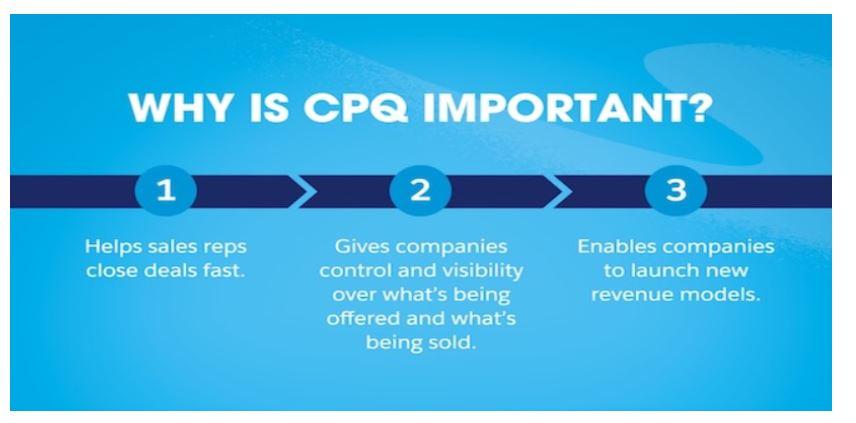
- Speed. Bundles, guided selling and automatic pricing remove the spreadsheet step between a customer conversation and a quote.
- Accuracy. Product rules block invalid configurations and the calculation sequence applies the same pricing logic to every rep.
- Margin control. Discount schedules give volume discounts by rule, and approvals catch anything outside policy before the customer sees it.
- Hybrid pricing. One-time, subscription and percent-of-total pricing sit on one quote, with proration on amendments.
- One record from quote to renewal. Contracts, subscriptions and renewal opportunities come from the quote, so finance and customer success inherit what sales agreed.
In our published Salesforce CPQ and multi-tool integration case study, a US fintech with a 20-plus person sales team recorded a 38% reduction in configuration and pricing errors through CPQ's automated rules. Guided selling moved reps from standalone products to bundled solutions, and the case study reports a 105% increase in average deal size. Those figures belong to that one engagement, which also included Outreach, Apollo.io and lead-scoring work, and are not a benchmark.
What Are the Signs Your Salesforce CPQ Needs Optimization?
Slow quotes, prices that change when you click Calculate twice, reps working around the system, and finance re-keying deals. CPQ is flexible enough to be configured into a corner. Years of added rules, products and scripts tend to pile up, and because CPQ now gets no new features, those problems will not be fixed for you by a release.
How Do You Optimize Salesforce CPQ? An 8-Step Checklist
Audit what exists, remove what no process enforces, make the remaining rules run once at the right moment, and push repeat logic into standard features before custom code. Each step below is grounded in Salesforce's own guidance. Work through them in a sandbox with real historical quotes, so you can prove a price did not change before you deploy.
Measure before and after: quote calculation time on your largest real quotes, the share of quotes needing approval, and how often a quote is regenerated after sending. If you integrate quoting with other systems, note that Salesforce's Calculate Quote API does not batch work, says performance may vary for quotes with many lines, and is not recommended where instant calculation is required.
How Should Salesforce CPQ Connect to Billing, Documents and ERP?
The quote should be the only place commercial terms are typed. Everything after it, including the order, invoice schedule, revenue schedule, signed agreement and renewal, should be derived from the quote automatically. Most quote-to-cash problems are not CPQ problems at all. They are hand-offs where someone re-keys a discount, start date or ramp into the next system.
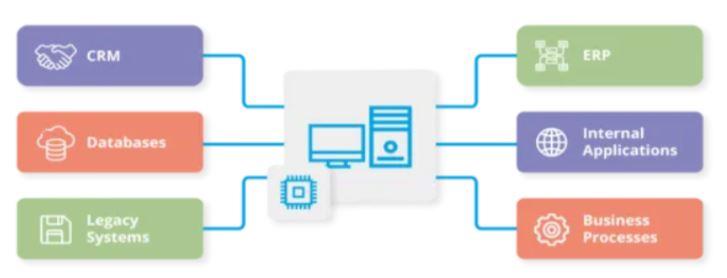
| Downstream system | What it should receive from CPQ | Common options |
|---|---|---|
| Billing | Order products with billing type, frequency and charge type, so invoices match the quote | Salesforce Billing (a separate managed package), Chargebee, Accounting Seed |
| Documents and signature | Generated quote or order form, sent for signature without manual edits | CPQ quote templates, Docusign, PandaDoc, Conga |
| ERP and finance | Orders, contracts and amendments with the same terms, plus a bookings-to-revenue bridge | NetSuite, Accounting Seed, or another ERP through an integration platform |
| Sales engagement | Opportunity and quote status for sequences and reporting | Outreach, Salesloft |
Salesforce Billing reads billing fields from the product onto order products when a quote is ordered, as Trailhead's invoicing triggers unit explains. If billing lives outside Salesforce, the same rule applies: map the fields once and test with real ramped and amended deals. Our Salesforce CPQ to Accounting Seed quote-to-cash page describes that chain on one platform. For a lighter stack, our Salesforce, Chargebee and PandaDoc case study shows quoting, agreements and invoicing connected with Salesforce Flow and native integrations, without middleware.
Should You Optimize Salesforce CPQ or Migrate to Revenue Cloud?
Optimize now, and plan a migration on your own timeline. Salesforce Help says moving from CPQ to Revenue Cloud is not an upgrade but a full re-implementation on a different data model, and should be treated as a redesign. That is a major project, so most teams should first make CPQ healthy, then migrate when a business change, a renewal or a capability gap gives them a reason.
| Area | Salesforce CPQ | Revenue Cloud (Revenue Management) |
|---|---|---|
| Architecture | Managed package on top of Salesforce | Native on the Salesforce platform |
| Product model | SKU-based bundles and options | Attribute-based products in a product catalog |
| Pricing engine | Browser-side, rules-based, sequential execution | Server-side pricing procedures with a price waterfall |
| Quoting screen | Quote line editor | Transaction line editor on standard quote and order records |
| Billing | Separate Salesforce Billing package | Billing within Revenue Management, depending on licence |
| Customization | QCP and page security plug-ins, custom objects | APIs and invocable actions |
| AI | Not available | Agentforce for Revenue Management |
| Roadmap | Maintenance | Active development |
The comparison follows Salesforce Help's key differences from CPQ. Licence details differ between the Revenue Cloud Growth and Advanced editions (contracts and order orchestration need Advanced, for example), so check feature availability against the edition you are quoted.
Optimize CPQ first when your products and pricing models are stable, the main pain is speed, accuracy or adoption, finance is fed reliably, and your licences have time to run. The fixes in Section 06 pay off now and make any later migration smaller.
Start planning Revenue Cloud when you are launching usage-based or attribute-heavy offers, need order orchestration or AI-assisted quoting, are adding a new business unit or product line, or your CPQ depends on custom code that blocks change.
If you do migrate
Salesforce's CPQ migration page describes four migration paths (lift and shift, selective transformation, full rationalization, and a new business unit or product line) and four rollout options, including a bridge approach where new business goes to Revenue Cloud while existing CPQ contracts run to renewal. Revenue Cloud and CPQ can coexist in an org with the Revenue Cloud Advanced licence. Salesforce Help's list of common migration issues is a useful warning list: treating the project as a migration rather than a redesign, skipping catalog rationalization, migrating inactive pricing rules, underestimating QCP complexity, poor data quality, and too little reporting redesign and training. Reports and dashboards built on CPQ objects must be rebuilt on Revenue Cloud objects.
What Does a Practical CPQ Optimization Plan Look Like?
Assess, clean up, re-sequence, connect, then decide on Revenue Cloud with real data. The same assessment serves both paths. It tells you what to fix in CPQ this quarter and gives you the inventory a migration needs anyway, so none of the work is wasted whichever way you go.
| Phase | Work | Done when |
|---|---|---|
| 1. Assess | Inventory of products, bundles, rules, scripts, templates, approvals and integrations; timing of the slowest quotes; interviews with reps and finance | Every rule has an owner and a keep, change or retire decision |
| 2. Clean up | Retire unused rules and products; merge duplicate bundles; move logic into discount schedules and contracted prices | Historical test quotes price the same as before, with fewer moving parts |
| 3. Re-sequence | One evaluation event per price rule; evaluation order in steps of 10; product rule scope and Apply Immediately reviewed; QCP trimmed | Large quotes calculate correctly with one click |
| 4. Connect | Approvals matched to policy; templates and signature; order, billing and ERP mappings tested with amended and ramped deals | Finance stops re-keying deals |
| 5. Decide | Revenue Cloud fit check against your roadmap, licence dates and remaining gaps | A dated decision: keep and optimize, coexist, or migrate |
We work this way because quote-to-cash projects usually fail at an unlisted deal: the ramped, amended, mid-term contract nobody tested. Testing with your own awkward historical deals before go-live catches it. Our revenue operations services cover the wider process design around the quote, and our Sales Cloud services cover the opportunity and pipeline setup CPQ depends on.
The Bottom Line
Salesforce CPQ is still a capable, supported quoting system for the teams that own it, and most of its problems are configuration debt that can be paid down. Treat 2026 as the year to make CPQ fast and accurate and to decide, with evidence, when Revenue Cloud makes sense. Twopir Consulting implements, rescues and optimizes Salesforce CPQ and the quote-to-cash systems around it, from rule clean-up to billing, document and ERP integration.
- 1
CPQ is end of sale, not end of life: keep it running well while you plan.
- 2
Inventory every rule and script, and retire what no process enforces.
- 3
Run each price rule at one evaluation event, in a deliberate order.
- 4
Use discount schedules, contracted prices and templates before custom code.
- 5
Treat Revenue Cloud as a redesign, and choose its timing from an assessment.
Get a Clear Plan for Your Salesforce CPQ
Tell us where quoting slows down or breaks today. We will review your rules, catalog and quote-to-cash hand-offs, and show you what to fix in CPQ now and when Revenue Cloud is worth it.
Schedule a Discovery CallFrequently Asked Questions
Salesforce CPQ is used to build accurate quotes inside Salesforce. Reps configure valid product bundles, CPQ applies list prices, discount schedules and price rules, discounts go for approval, and a template produces the quote document. It then manages the contracts, amendments and renewals that follow from the signed quote.
No. Salesforce describes CPQ as end of sale, not end of life. It no longer sells CPQ licences to new customers, but existing customers keep their licences, can add users, renew and receive support and critical fixes. CPQ will not get new features, and Salesforce has not announced an end-of-life date.
Revenue Cloud replaces it. Salesforce calls the successor Revenue Cloud Advanced on its website and Agentforce Revenue Management in Salesforce Help; it was also called Revenue Lifecycle Management. It runs natively on the Salesforce platform with an attribute-based product catalog, server-side pricing, a product configurator and order orchestration.
Not as an upgrade. Salesforce Help says moving from CPQ to Revenue Management requires a full re-implementation, because the data model, configuration approach and pricing engine are different. Salesforce recommends treating it as a redesign, starting with an assessment, and choosing a migration path and rollout option that fit your org's complexity.
Usually because of configuration, not the platform. Common causes are price rules that run at several evaluation events, product rules that evaluate too often, many summary variables, large bundles and heavy Quote Calculator Plugin code. Trailhead recommends limiting each price rule to one event; retiring unused rules and products also helps.
Product rules control what can be sold: they select, filter, validate or warn about products in a bundle or on a quote. Price rules control what it costs: they set field values on quote lines at defined points in the calculation sequence, often using summary variables that total values across the quote.
No. In the CPQ generation, billing is the separate Salesforce Billing managed package, which turns ordered quotes into invoices using billing fields on the product. Many teams instead connect CPQ to Chargebee, Accounting Seed, NetSuite or another finance system. In Revenue Cloud, billing is part of Revenue Management, depending on licence.
