
HubSpot Marketing Hub: The Practical Guide To Features, Editions, And Breeze AI
What HubSpot Marketing Hub actually does, how Starter, Professional and Enterprise differ, what drives the bill, what the AI agents add, and how to set it up so every campaign ties back to pipeline.
Key Takeaways
- HubSpot Marketing Hub is HubSpot's marketing automation product: email, forms, segments, workflows, lead scoring, campaigns, social, ads and reporting, all on the same Smart CRM as sales and service.
- It comes free (limited tools) and in three paid editions. Starter covers email and simple automation, Professional is where workflows, lead scoring, campaigns and the Salesforce connector start, and Enterprise adds revenue attribution, journey analytics, custom objects, sandboxes and governance.
- The bill is driven by marketing contacts, seats, a one-time onboarding fee on Professional and Enterprise, and add-ons such as SMS. You only pay for contacts you mark as marketing.
- AI now runs through Breeze Assistant and Agent Hub. Content, Nurture and Campaign agents are in beta on Professional and Enterprise and consume HubSpot Credits.
- The tool rarely fails. The set-up does: undefined lifecycle stages, no scoring model, a Salesforce sync nobody governs, and attribution that stops at the form fill.
HubSpot Marketing Hub is the part of HubSpot that attracts, captures, nurtures and measures demand. HubSpot describes it as marketing automation software "designed to help you generate leads and automate marketing to drive growth", and because it sits on the same CRM as Sales Hub and Service Hub, every email, form, ad click and page view lands on the contact record your sales team works from. For growing and mid-market companies, that shared record is the real reason to choose it: one place where marketing activity and revenue can be connected without a spreadsheet in the middle.
This guide replaces our earlier overview of the platform. It covers what Marketing Hub does today, which edition fits which team, what actually drives the cost, what the AI agents can and cannot do yet, and how to implement it so that leadership trusts the numbers.
The Quick Verdict: When HubSpot Marketing Hub Fits (And When It Doesn't)
Marketing Hub fits if you want email, forms, nurture automation, social, ads and reporting in one system that shares a CRM with sales; your team would rather configure than code; and you need marketing and sales to agree on what a qualified lead is. It suits B2B and considered-purchase B2C teams that run inbound, content and campaign-led demand generation.
Think twice if you only need a newsletter tool (a Starter plan or a dedicated email tool will do); you send very high volumes of transactional or retail email to millions of contacts, where contact-based pricing climbs quickly; or your data model and journeys already live in a heavily customised Salesforce org, where the integration design matters more than the marketing tool.
If you already know HubSpot is the right platform, the real decisions are which edition, how many marketing contacts, and how the portal is architected. The rest of this guide works through each one.
What Is HubSpot Marketing Hub?
HubSpot Marketing Hub is a marketing automation product built on HubSpot's Smart CRM. It handles lead capture (forms, landing pages, CTAs, ads), engagement (email, social, SMS and WhatsApp), automation (workflows and lead scoring) and measurement (campaign reporting and attribution). It is sold in Starter, Professional and Enterprise editions, with a limited set of free tools.
HubSpot now describes its products as one customer platform: Marketing Hub, Sales Hub, Service Hub, Content Hub, Data Hub and others, all reading and writing the same CRM records. That matters in practice. A form submission, an email click and an ad conversion are recorded on the same contact that a sales rep sees in Sales Hub, so lead handoff and reporting do not depend on a sync between two vendors.
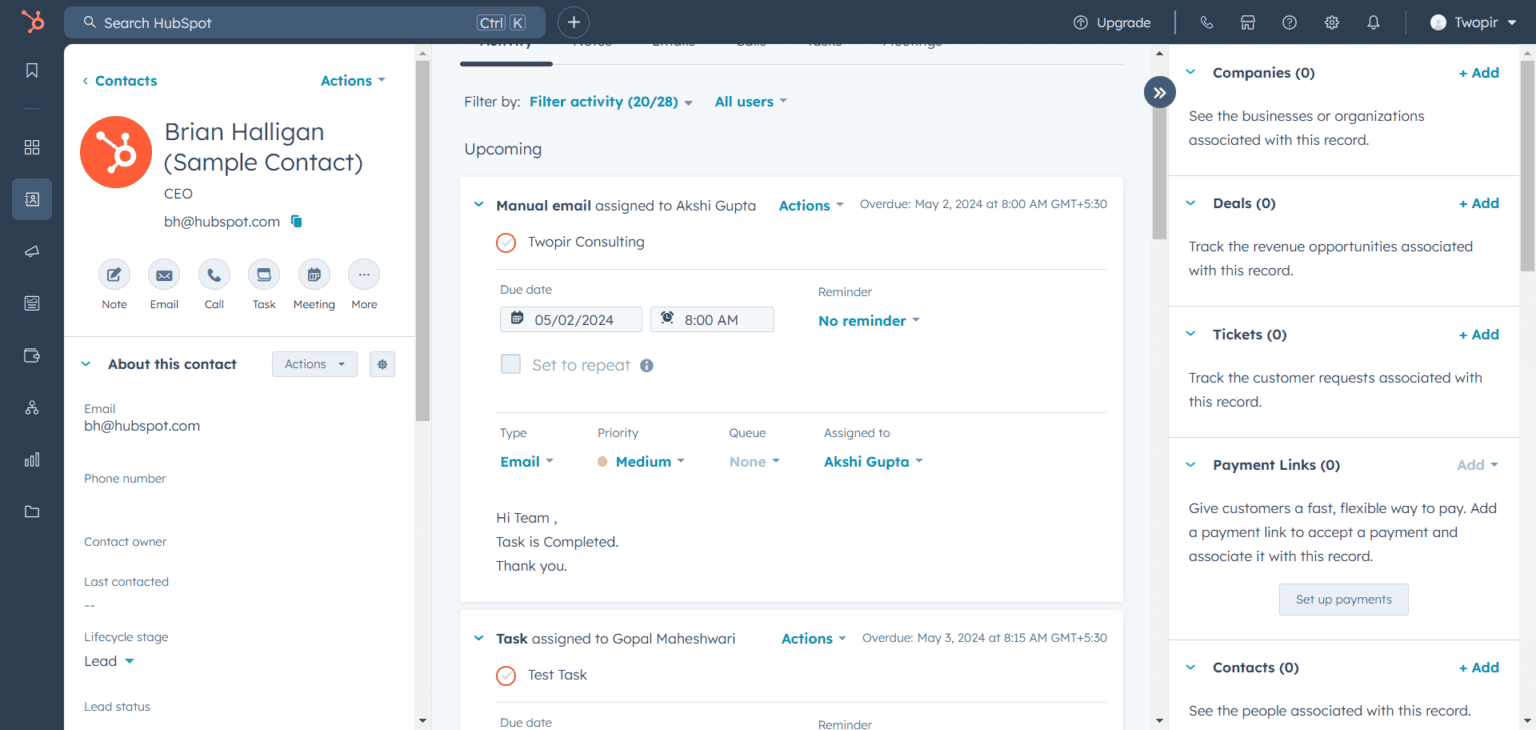
One concept shapes every Marketing Hub account: the marketing contact. Only contacts marked as marketing can receive marketing email or be targeted with ads, and only they count toward your billable tier. Everyone else in the CRM can stay as a free non-marketing contact. HubSpot explains the rules in its guide to setting contacts as marketing.
What Are The Core Features Of HubSpot Marketing Hub?
Marketing Hub's features fall into four jobs: capture leads, engage them, automate the follow-up, and measure what worked. The cards below show where each feature starts. Most of the automation and measurement depth begins at Professional, which is why that edition is the usual starting point for a team with a pipeline target.
Email marketing
Drag-and-drop email on every plan. Professional adds A/B tests, smart content, time-zone sending and the automated emails that workflows send. Enterprise adds approvals and send-frequency caps.
Forms, landing pages and CTAs
Embedded and multi-step forms with consent capture from Starter; conditional logic from Professional. Pop-ups, banners and slide-ins are now built in the CTA tool.
Segments
What HubSpot used to call lists. Active segments update themselves as contacts meet the criteria; static segments are fixed snapshots.
Workflows
Omni-channel automation from Professional: send emails, update properties, rotate owners, add to ad audiences or campaigns, and branch on behaviour. See HubSpot's workflow guide.
Lead scoring
The lead scoring tool builds engagement, fit or combined scores. Professional allows up to 5 scores, Enterprise up to 50 with AI recommendations.
Campaigns
From Professional, campaigns group every email, page, post and ad behind one initiative so you can report on it as a whole.
Social and ads
Social publishing and scheduling from Professional. Ad accounts for Google, Meta, LinkedIn, Microsoft, TikTok and others connect on every plan, with audience and conversion-event limits rising by edition.
SEO and AEO
On-page SEO recommendations, plus HubSpot AEO (in beta), which tracks how your brand appears in AI answer engines. AEO prompts are included in Professional and Enterprise.
Reporting and attribution
Dashboards on every plan, custom reports from Professional, and multi-touch revenue attribution and customer journey analytics on Enterprise.
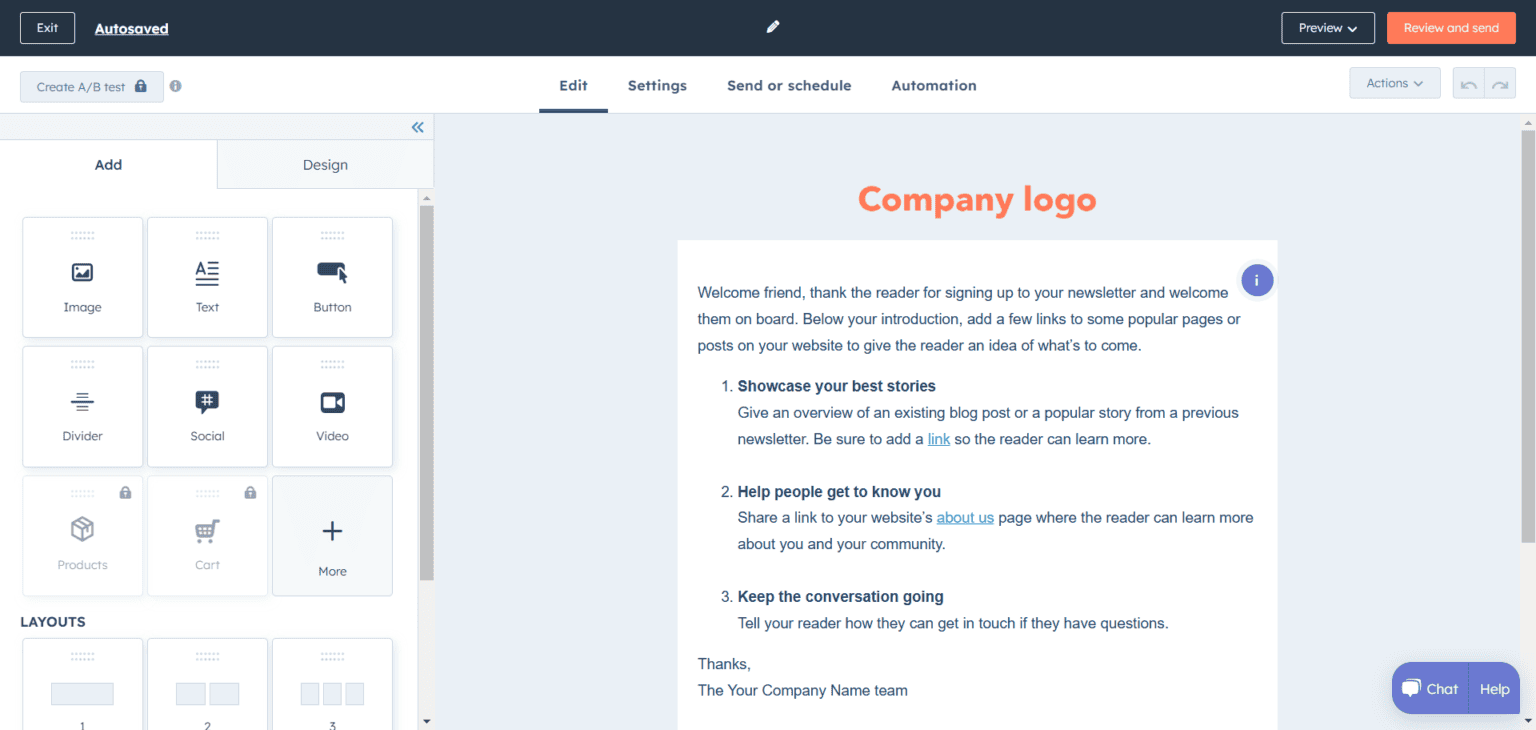

Two features changed recently and still trip people up. Lists were renamed segments, and HubSpot's old pop-up forms were replaced by pop-up CTAs. If you are reading older tutorials, including the first version of this post, the menu names will not match what you see in the portal today.

HubSpot Marketing Hub Editions: Starter vs Professional vs Enterprise
Starter suits small teams that mainly send email and run simple automation. Professional is the edition most growing and mid-market companies need, because it adds workflows, lead scoring, campaigns, social, custom reporting and the Salesforce integration. Enterprise is for teams that need revenue attribution, custom objects, sandboxes and permission controls across many teams.
| Starter | Professional | Enterprise | |
|---|---|---|---|
| List price | From $20 per seat / month | From $890 / month ($800 / month billed annually), 3 Core Seats | From $3,600 / month, billed annually, 5 Core Seats |
| Marketing contacts included | 1,000 | 2,000 | 10,000 |
| Onboarding | Not required | Required, one-time $3,000 | Required, one-time $7,000 |
| Automation | Simple email and form automation (up to 10 actions) | Omni-channel workflows (up to 300) | Up to 1,000 workflows, behavioral events |
| Lead scoring | Not included | Up to 5 scores | Up to 50 scores, AI recommendations |
| Campaigns, social, A/B tests | Not included | Included | Included, plus approvals |
| Reporting | Dashboards | Up to 100 custom reports, contact create attribution | Up to 500 custom reports, multi-touch revenue attribution, customer journey analytics |
| Salesforce integration | Not included | Included | Included, plus custom object sync |
| Governance | – | Up to 10 teams | Up to 300 teams, content and data partitioning, custom objects, sandbox |
| HubSpot Credits per month | 500 | 3,000 | 5,000 |
List prices, limits and inclusions are from HubSpot's product and services catalog and Marketing Hub pricing page, checked 14 October 2026. HubSpot often runs new-customer discounts on Starter, so confirm current figures before budgeting.
The free tools are worth knowing about too. They include forms, up to 30 landing pages and 2,000 email sends a month, all with HubSpot branding, which makes them a reasonable way to test HubSpot before committing.
What Actually Drives The Cost Of Marketing Hub?
Four things set the bill: the edition, the number of marketing contacts, the number of paid seats, and add-ons. Professional and Enterprise also carry a required one-time onboarding fee. Of these, marketing contacts grow fastest, so the way you define and maintain "marketing" status decides most of your long-term cost.
- Marketing contacts. Each edition includes a tier (1,000, 2,000 or 10,000) and you buy more in blocks. Non-marketing contacts are free, up to 15 million contacts in total. Setting a contact as marketing takes effect at once; setting one back to non-marketing takes effect at the start of the next month or at renewal, and you cannot drop to a lower tier until renewal.
- Default statuses. When you first buy Marketing Hub, existing contacts are set to non-marketing. HubSpot forms set new submitters as marketing by default, while contacts from integrations, chat and logged emails arrive as non-marketing. Professional and Enterprise can set the status automatically in workflows, which is how a clean portal keeps cost under control.
- Seats. Starter is priced per seat. Professional and Enterprise include 3 and 5 Core Seats, with more sold individually. View-only seats are free.
- Add-ons. SMS needs a paid add-on on Professional or Enterprise and only sends to +1 (US and Canada) numbers. WhatsApp is included on Professional and Enterprise up to a monthly message limit. A dedicated IP and a Brands add-on are also available.
- HubSpot Credits. AI agents and some AI actions consume credits. Each paid edition includes a monthly allowance, credits do not roll over, and extra credits are bought on demand or in packs.
In our experience, the most expensive mistake is importing an old database and marking everyone as marketing on day one. Start with the contacts you will actually email this quarter, and let a workflow promote the rest when they engage.
What Does Breeze AI Add To HubSpot Marketing Hub?
HubSpot's AI comes in two layers. Breeze Assistant, included with every subscription, drafts content, summarises records, builds segments from plain-language prompts and helps create workflows. Agent Hub holds the AI agents, and in Marketing Hub the Content, Nurture and Campaign agents are in beta on Professional and Enterprise, running on HubSpot Credits.
| Capability | What it does | Availability (October 2026) |
|---|---|---|
| Breeze Assistant | Generates content, summarises records, prepares for meetings, and helps build workflows and segments | Included with every subscription |
| Content Agent | Drafts blog posts, social posts and landing pages for review; never publishes on its own | Beta, Professional and Enterprise; uses credits |
| Nurture Agent | Personalises each automated nurture email for the individual contact | Beta, Professional and Enterprise; uses credits |
| Campaign Agent | Helps build campaigns inside Marketing Studio | Beta, Professional and Enterprise; requires the Marketing Studio beta |
| AI lead scoring | Builds engagement and fit scores from your data | Enterprise |
Two changes are worth knowing before you plan around older advice. HubSpot retired several pre-built agents, including the Social Post Agent, on 23 July 2026, and Journeys, the Enterprise journey builder, is scheduled to retire on 30 November 2026 in favour of campaign automation in Marketing Studio. Check HubSpot's AI product page and credits documentation before you commit a process to a beta feature.
AI output is only as good as the CRM underneath it. An agent that personalises nurture emails from empty or inconsistent properties produces confident, generic copy. That is why we treat property clean-up and lifecycle definitions as prerequisites for any AI rollout. Our guide to HubSpot Breeze AI goes deeper on the assistant and agents.
Where Marketing Hub Implementations Go Wrong
These are the problems we see most often when we audit an existing HubSpot portal. None of them is a product limitation. Each one is a set-up decision that was never made.
Our guide to HubSpot workflow best practices covers naming, enrolment and re-enrolment rules in detail.
Can You Use HubSpot Marketing Hub With Salesforce?
Yes. HubSpot's native Salesforce integration is available on Marketing Hub Professional and Enterprise. It syncs CRM records such as contacts, companies and deals between the two systems and connects one Salesforce org per HubSpot account. Switching it on is quick; deciding what syncs, in which direction, and which system wins a conflict is the real work.
Many mid-market companies run marketing in HubSpot and sales in Salesforce. It works well when the two systems have clear jobs:
Campaigns, forms, email, scoring, lifecycle stages
Owned by marketing. Decides who is marketing-qualified and passes only those records to sales.
Accounts, opportunities, pipeline, forecast
Owned by sales. Opportunity stages and closed-won data flow back to HubSpot so campaigns can be credited with revenue.
The common failures are predictable: duplicates the connector cannot match, every HubSpot contact pushed into Salesforce, lifecycle stage and lead status overwriting each other, sync errors nobody monitors, and attribution that is lost at conversion. HubSpot's installation guide notes that a single contact sync can use up to four Salesforce API calls, so a large initial sync also needs an API budget.
In one published Twopir engagement, a North American B2B SaaS company replaced a silently failing sync with a governed integration. Salesforce and HubSpot contact records went from matching on 65% of fields to 97%, and UTM attribution became traceable from the HubSpot form submission to the closed-won opportunity in Salesforce. Our Salesforce HubSpot integration page explains how we scope that work.
How To Implement HubSpot Marketing Hub, Step By Step
Implement Marketing Hub in this order: agree definitions, clean and model the data, connect domains and integrations, build capture and nurture, add scoring and handoff, then reporting. Building emails and workflows before the data model and lifecycle definitions exist is the most common reason portals need a rescue a year later.
Professional and Enterprise include HubSpot's required onboarding. A partner adds the parts onboarding does not cover: process design, data migration, integrations and reporting tied to your revenue model.
How Do You Measure ROI In HubSpot Marketing Hub?
Measure Marketing Hub ROI by revenue, not activity. Track how many contacts and deals each campaign creates and how much closed revenue it influences, using HubSpot's attribution reports. Contact create attribution is available from Professional; deal create and deal revenue attribution, which credit campaigns with pipeline and closed revenue, need Enterprise.

HubSpot's attribution reports currently offer five models. Pick one as the default for leadership reporting and use the others to sanity-check it:
| Model | How it assigns credit | Useful for |
|---|---|---|
| First touch | All credit to the first interaction | Which channels create awareness |
| Last touch | All credit to the last interaction before conversion | Which assets close the conversion |
| Linear | Equal credit to every interaction | A neutral view of a long journey |
| Time decay | More credit to interactions closer to conversion | Short, campaign-driven sales cycles |
| Empirical | Data-driven weighting; it replaced the U-, W- and J-shaped models | Mature accounts with enough history |
The report is only as honest as the data behind it. Deals have to be created consistently, associated with the right contacts, and closed with real amounts. When deals live in Salesforce, that depends on the integration described above.
When Should You Bring In A HubSpot Partner?
You can set up a Starter account yourself. A partner earns its fee when the portal has to carry a revenue process: several teams and lifecycle stages, a Salesforce or ERP integration, a data migration, or a leadership team that wants attribution it can trust. It is also the right call when an existing portal has grown messy and nobody is sure which workflows still matter.
Twopir Consulting is a HubSpot Partner and a Salesforce Partner. We implement, rescue, optimize, and integrate complex CRM and revenue systems. For Marketing Hub implementations, that means lead scoring model design, lifecycle automation and handoff rules, nurture architecture, landing page and form infrastructure, and campaign and attribution dashboards, built on a data model both marketing and sales agree with. See our wider HubSpot implementation services for Sales Hub, Service Hub, Content Hub and migrations.
Get Marketing Hub Working For Pipeline, Not Just Activity
On a 30-minute discovery call, a Twopir HubSpot consultant will review your edition, contact tier, lifecycle stages and integrations, and tell you plainly what to fix first and whether you need a higher edition at all.
Schedule a Discovery CallThe Bottom Line
HubSpot Marketing Hub gives growing and mid-market companies capture, nurture, automation and reporting on the same CRM that sales uses. Starter is enough for email and simple automation. Professional is where a demand engine starts, and Enterprise is for attribution, custom data and governance at scale. Whichever edition you choose, the return comes from the set-up: shared definitions, clean data, governed integrations and reporting that reaches revenue.
- 1
Choose the edition by the job: Starter for email, Professional for workflows, scoring, campaigns and the Salesforce integration, Enterprise for revenue attribution, custom objects and governance.
- 2
Manage marketing contacts deliberately. They drive most of the long-term cost.
- 3
Treat the AI agents as beta tools that need clean CRM data, and check credit consumption before you scale them.
- 4
Define lifecycle stages and the MQL handoff before you build workflows.
- 5
Report on revenue: deals and closed amounts by campaign, not opens and form fills.
Frequently Asked Questions
HubSpot Marketing Hub is used to attract, capture, nurture and measure leads. Teams use it for email marketing, forms and landing pages, segments, automated workflows, lead scoring, social and ad management, and campaign reporting, all on the same CRM that sales uses.
At list price in October 2026, Starter starts at $20 per seat per month, Professional at $890 per month with three seats, and Enterprise at $3,600 per month with five seats, billed annually. Professional and Enterprise add a one-time onboarding fee of $3,000 and $7,000. Extra marketing contacts cost more.
Professional covers workflows, lead scoring, campaigns, social, custom reports and the Salesforce integration. Enterprise adds multi-touch revenue attribution, customer journey analytics, custom objects, a sandbox, behavioral events, email approvals and permission controls across up to 300 teams.
Marketing contacts are the contacts you can send marketing email to and target with ads. They count toward your billable tier. Non-marketing contacts stay in the CRM for free, so you only pay for the people you actually market to.
Yes. Breeze Assistant is included with every HubSpot subscription. On Professional and Enterprise, the Content, Nurture and Campaign agents are available in beta and consume HubSpot Credits, with a monthly credit allowance included in each paid edition.
Yes. The native HubSpot-Salesforce integration is included with Marketing Hub Professional and Enterprise and connects one Salesforce org. It needs Salesforce Professional or an edition with API access, and does not support Group Edition. Field mapping, sync rules and error monitoring should be designed before it is switched on.
Most mid-market teams start on Professional, because workflows, lead scoring, campaigns and the Salesforce integration begin there. Move to Enterprise when you need revenue attribution, custom objects, a sandbox or strict permissions across many teams.
