
Jungo Real Estate CRM On Salesforce: The Complete Guide
What Jungo's Real Estate App actually is, what it does inside Salesforce, what it costs, where it stops, and how growing and mid-market brokerages decide between Jungo and a custom Sales Cloud build.
Key Takeaways
- Jungo's Real Estate App is a real estate CRM built on Salesforce and listed on AppExchange as "The Real Estate App - by Jungo". The vendor's website is ijungo.com, which is why the product is often searched as "iJungo".
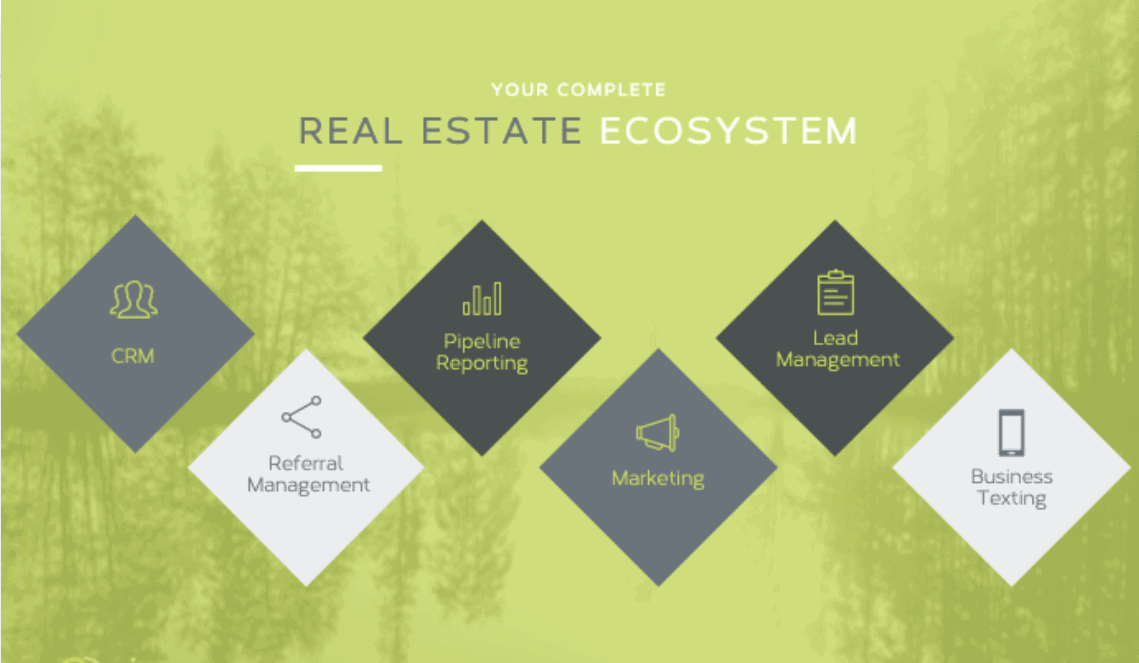
- It covers the agent's daily loop: portal lead capture and distribution, drip email campaigns, milestone alerts by email and text, referral partner tracking, documents, tasks, and reports and dashboards inside Salesforce.
- It is not a property management system. Tenant, lease and rent management, AI lead scoring and predictive forecasting do not appear in Jungo's own materials.
- Pricing differs by source: the AppExchange listing says from $799 per user per year, while ijungo.com shows mortgage-oriented plans from $96 per user per month. Confirm a real estate quote with Jungo, and budget for Salesforce licences.
- Jungo fits residential teams that want a ready-made agent CRM. Brokerages with listing syndication, commission splits or multi-office reporting needs usually extend Jungo or build on Sales Cloud directly.
The Jungo real estate CRM is one of the longest-standing real estate applications on Salesforce's AppExchange: its listing dates from February 2009. This guide replaces our 2024 overview with a version checked against Jungo's current listing and website, so you can see what the app does, what it does not do, and when it is the right foundation for a growing or mid-market real estate business.
What Is The Jungo Real Estate App For Salesforce?
Jungo's Real Estate App is a CRM for real estate agents and teams that runs inside Salesforce. It adds real estate lead capture, drip marketing, milestone alerts, referral tracking and document handling to a Salesforce org, and uses Salesforce's own reports, dashboards and mobile app. Jungo describes itself as "built on Salesforce" and serves both real estate and mortgage professionals.
Three naming points cause most of the confusion in search results:
- "iJungo" and "IJUNGO" are not product names. The company brands itself Jungo. Its website lives at ijungo.com, and the domain has been read as the brand.
- jungo.com is a different company. It makes connectivity and driver-monitoring software and has nothing to do with this CRM.
- The AppExchange listing is older than the brand. Reviews from 2009 and 2010 on the Real Estate App listing refer to an earlier product name, so read old reviews with that in mind.
The Quick Verdict: Who Jungo Fits (And Who It Doesn't)
Jungo fits you if you run a residential sales team that lives on portal leads, referrals and repeat clients, and you want a ready-made agent CRM on Salesforce rather than a blank org. It fits especially well when agents work closely with loan officers, because Jungo's real estate and mortgage apps share one platform and one referral model.
Jungo doesn't fit you if your core need is property or lease management, listing syndication to portals, development inventory, or commission accounting across offices. Those need custom Salesforce objects and integrations, either alongside Jungo or in a purpose-built Sales Cloud org.
How Does Jungo Run On Salesforce?
Jungo is an application layer inside your Salesforce org, so you are running Salesforce with real estate features added, not a separate system synced to it. Leads, contacts, tasks and documents live as Salesforce records. That means Salesforce's security model, Flow automation, reports and mobile app all apply to Jungo data.
Records, security, automation, reporting, mobile
Your Salesforce edition supplies users, sharing rules, Flow automation, reports and dashboards and the Salesforce mobile app.
Lead capture, campaigns, milestones, referrals, documents
Real estate stages, templates and automations, plus add-ons such as Listing Alerts, Jungo SMS, DocsBar and PrintPub.
Custom objects, integrations and reporting
Listings, commission splits, portal publishing, transaction checklists and executive dashboards that no packaged app ships with.
According to the AppExchange listing, the Real Estate App is compatible with Salesforce Professional, Enterprise, Unlimited, Force.com and Developer editions, and it is marked Lightning Ready. Jungo states that mobile access runs through the Salesforce mobile app, which Salesforce supports in every edition except Database.com.
What Are Jungo's Core Real Estate Features?
Jungo's real estate features cluster around four jobs: getting leads in and routed, staying in touch automatically, keeping referral partners engaged, and running the transaction day to day. Everything below is stated on Jungo's AppExchange listing or its real estate CRM page.
Lead capture and distribution
Leads from Zillow, Trulia, Realtor.com, LendingTree, LeadMailbox and Informa flow into Salesforce and are distributed to team members, with follow-up tasks created automatically.
Drip campaigns and templates
Hundreds of industry email templates, drip campaigns by lead or client stage, and automatic birthday, holiday and home-anniversary emails.
Milestone alerts by email and text
Automated status updates to clients and partners as a deal moves, with business texting available through the Jungo SMS app.
Referral partner tracking
Reffinity tracks referral partners, sends each partner automated pipeline reports, and sends thank-you emails when a referral arrives.
Documents and e-signature
DocsBar keeps transaction documents and correspondence in one place, and Jungo names DocuSign among its integrations.
Tasks, calendars and team permissions
Assign and track tasks, see outstanding team work, manage calendars and set permissions, with client interactions kept on the contact record.
Listing marketing
Single-property websites that drop leads into the CRM, PrintPub co-branded flyers and postcards, and a Listing Alerts add-on.
Reports, dashboards and mobile
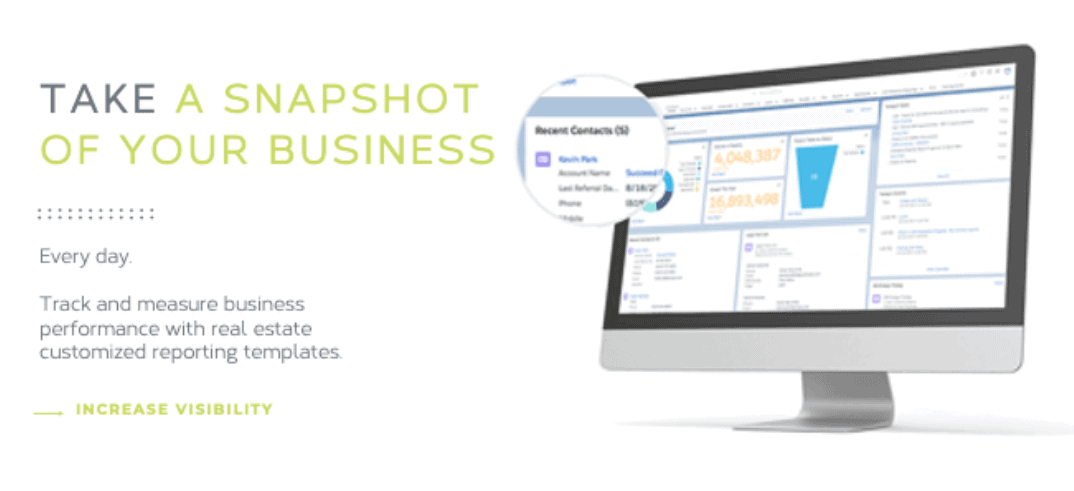
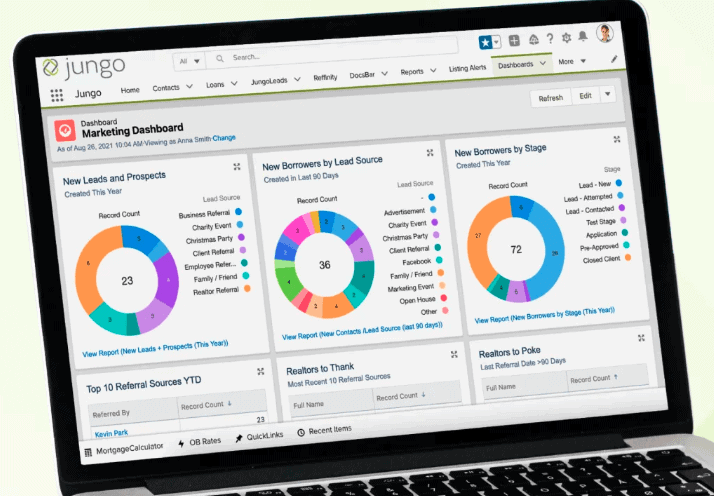
Pipeline, campaign and referral reporting in Salesforce dashboards, with access from a computer, tablet or phone.


What Doesn't Jungo Do Out Of The Box?
Jungo is a sales and relationship CRM for agents, not an end-to-end brokerage platform. Our earlier version of this guide credited it with capabilities that Jungo's own materials do not claim. Plan for these gaps before you buy, and treat any of them you need as extensions to scope.
Open house lead capture was still marked "coming soon" on Jungo's real estate page when we checked. Confirm the current roadmap with Jungo before you count on it.
How Much Does Jungo Cost For Real Estate?
Published prices differ by source, so treat them as ranges and get a written quote. The AppExchange listing for the Real Estate App says "starting at $799/user/year". Jungo's own pricing page is written for mortgage teams and lists annual plans per user per month, with setup fees. Salesforce licences are a separate line.
| Item | Published price | Source and notes |
|---|---|---|
| The Real Estate App | From $799 per user per year | AppExchange listing; Jungo asks buyers to contact sales |
| Jungo Lite | $96 per user per month, billed annually | ijungo.com pricing; mortgage-oriented, setup fee applies |
| Jungo Bundle | $125 per user per month, billed annually | ijungo.com pricing; setup fee applies, minimum one-year contract |
| Jungo SMS | $15 to $25 per user per month | ijungo.com business texting; price depends on user count |
| Concierge gifts | Packages from $35 | Post-close gifts and cards, per Jungo's real estate page |
| Salesforce licences | Varies by edition | Salesforce Sales Cloud pricing; check the edition is on Jungo's compatibility list |
Prices as published on AppExchange and ijungo.com in October 2026. Vendors change pricing and packaging; confirm current figures with Jungo and Salesforce before budgeting.
Is Jungo For Real Estate Agents Or Mortgage Lenders?
Both, but Jungo leads with mortgage. Its homepage, pricing and most integrations (loan origination systems such as Encompass, Calyx and LendingPad) are written for loan officers, and its Mortgage App is its most-reviewed AppExchange listing. The Real Estate App shares the same platform, templates and referral model.
For a brokerage, that shared design has a practical upside. Agents and their preferred lenders exchange referrals constantly, and Jungo's milestone alerts, co-branded flyers and referral reports are built for that relationship. If your brokerage has an affiliated mortgage team, both sides can work in one Salesforce org with a common view of referred clients.


Twopir also supports the mortgage side of Jungo. See our Salesforce for mortgage and lending page for how we approach lender orgs.
Jungo vs A Custom Sales Cloud Build: Which Fits?
Choose Jungo when your process looks like a standard residential agent workflow and speed matters. Choose a custom Sales Cloud build when your brokerage's process is the differentiator. Many growing brokerages land in between: Jungo for the agent loop, with custom objects and integrations for listings, commissions and reporting.
| Question | Jungo Real Estate App | Custom Sales Cloud build |
|---|---|---|
| Starting point | Pre-built agent CRM with templates and campaigns | Data model designed around your brokerage |
| Portal leads | Zillow, Trulia, Realtor.com and others built in | Built per portal, via integration |
| Listings and syndication | Single-property sites and flyers; no portal publishing stated | Listing objects and portal publishing designed in |
| Commissions and offices | Not included; extend with custom objects | Modelled from day one |
| Agent-lender referrals | Strong, shared with Jungo's Mortgage App | Built to spec |
| Ongoing cost | Salesforce licences plus Jungo subscription | Salesforce licences plus build and support |
| Upgrades | Roadmap set by Jungo | Owned by you and your partner |
We built one such extension for a UAE real estate brokerage: Apex and Lightning Web Components that publish, unpublish and track listings on Zoopla and Rightmove directly from Salesforce. The listing publishing case study shows the pattern.
How Do You Implement Jungo In Salesforce?
Treat Jungo as a Salesforce implementation, not a download: test it in a sandbox, map your data and lead sources, then train agents on the workflows they will use daily. The steps below follow Salesforce's guidance for installing AppExchange packages and the order we use on real estate orgs.
- 1
Confirm fit and edition. Check your Salesforce edition against the listing's compatibility list and agree with Jungo which apps and add-ons you are licensing.
- 2
Install in a sandbox first. Salesforce lets you install AppExchange packages into a sandbox, which is isolated from production, so you can test before agents see anything.
- 3
Install and assign access. During package installation you choose which users get access, and afterwards you assign the package's permission sets.
- 4
Migrate and clean data. Bring contacts, past clients and referral partners across with deduplication, so campaigns and anniversaries fire for the right people.
- 5
Connect lead sources and routing. Map each portal to a lead source and set distribution rules by team, territory or availability.
- 6
Configure stages, milestones and campaigns. Align Jungo's stages and milestone alerts with how your agents actually move a deal.
- 7
Build the brokerage reporting. Add dashboards for lead response, source performance and agent production that leadership will use.
- 8
Train, launch and review. Roll out by team, set agents up on the Salesforce mobile app, and review adoption after the first month.
One caution for exit planning: Salesforce notes that uninstalling a managed package removes its components and data, with an optional export. If you might change platforms later, decide early which records belong in standard Salesforce objects.
Where Does Twopir Consulting Fit In A Jungo Project?
We implement, rescue, optimize, and integrate complex CRM and revenue systems. We help growing and mid-market companies solve complex CRM, integration, and business system challenges. For Jungo customers, that means independent advice on platform fit and licensing, implementation and customization, integrations, data migration and ongoing support, listed on our Jungo services page. Our Jungo consulting is independent of the licence: we take no reseller margin on it.
On the real estate side, our Salesforce for real estate and residential real estate practices cover portal lead routing, listings, transaction compliance and commission splits, including rescuing underperforming implementations.
Not Sure Whether Jungo Fits Your Brokerage?
On a 30-minute discovery call, a Twopir Salesforce architect will review your lead sources, referral partners and reporting needs, and tell you plainly whether Jungo, an extended Jungo org or a custom Sales Cloud build fits best.
Schedule a Discovery CallThe Bottom Line On The Jungo Real Estate CRM
Jungo gives real estate agents a working Salesforce CRM quickly: portal leads routed to the right agent, campaigns that keep past clients warm, milestone alerts, and referral reporting that lenders and partners appreciate. It does not manage properties or leases, sync MLS data, or model brokerage economics. Buy it for the agent loop, and plan the rest deliberately.
- 1
The product is Jungo, sold on AppExchange as "The Real Estate App - by Jungo". "iJungo" comes from its domain, and jungo.com is an unrelated company.
- 2
Its strengths are lead capture and routing, drip marketing, milestone alerts and referral partner tracking inside Salesforce.
- 3
Its gaps are property and lease management, MLS data sync, portal publishing, AI scoring and commission reporting.
- 4
Budget for Jungo and Salesforce licences separately, and get a written real estate quote, because published prices differ.
- 5
Test in a sandbox, migrate clean data, and design brokerage reporting before launch.
Frequently Asked Questions
Yes. The company brands itself Jungo and its website is ijungo.com, which is why people search for "iJungo". Its Salesforce real estate product is listed on AppExchange as "The Real Estate App - by Jungo". The website jungo.com belongs to an unrelated company.
Jungo runs inside Salesforce, so your users work in a Salesforce org. The AppExchange listing names Professional, Enterprise, Unlimited, Force.com and Developer as compatible editions. Confirm with Jungo whether your quote includes Salesforce licensing or whether you buy it separately.
The AppExchange listing for the Real Estate App says it starts at $799 per user per year. Jungo's own pricing page, which is written for mortgage teams, lists plans from $96 per user per month billed annually, plus setup fees. Ask Jungo for a written real estate quote.
Jungo brings in leads from Zillow, Trulia, Realtor.com, LendingTree, LeadMailbox and Informa, and names DocuSign among its integrations. Its only advertised MLS feature is a property finder inside the PrintPub flyer tool. There is no stated MLS data sync into Salesforce.
No. Jungo's materials describe a sales and relationship CRM for agents and lenders. Tenant records, rent payments and lease renewals are not part of it. Rental portfolios need a property management system or custom Salesforce objects designed for leasing.
Yes. Jungo offers a real estate CRM trial request, and Salesforce lets you install AppExchange packages into a sandbox, which is isolated from production. Test lead routing, campaigns and permissions there before agents use the app.
Choose Jungo when your process matches a standard residential agent workflow and you want to launch quickly. Choose a custom Sales Cloud build, or extend Jungo, when you need listing syndication, development inventory, commission splits or multi-office reporting.
