
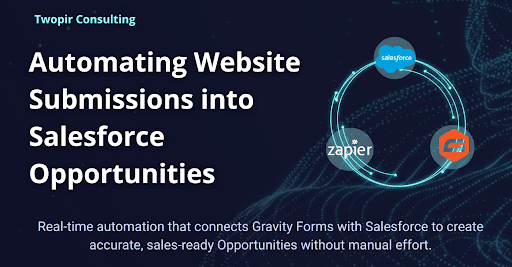
Gravity Forms and Salesforce Opportunity Integration Using Zapier
Twopir Consulting is your partner in scaling revenue operations. We help service-driven organizations in regulated industries optimize workflows, improve compliance, and accelerate deal cycles through AI, automation, and intelligent CRM integration.The Client
Our client operates a modern WordPress website and relies on Gravity Forms to capture high-intent inquiries from prospective customers. These forms handle demo requests, consultation bookings, and product interest submissions.The client uses Salesforce CRM to manage their sales pipeline and track revenue outcomes. They wanted to stop manually entering form submissions into Salesforce and instead automatically create Opportunities in real time whenever a form was submitted on the website.
The Challenge
The client was facing several operational challenges due to the manual nature of their current process.
01. Manual Opportunity Creation
- Every time someone submitted a form on the website, team members had to manually copy form data into Salesforce, create an Opportunity, enter required fields like deal name, amount, and close date, and associate it with the correct account and contact. This process was slow, repetitive, and error-prone.
02. Delayed Sales Notifications
- Because the data entry happened after submissions were collected, sales reps often found out about new opportunities hours or even days after the initial contact. This delayed follow-up and reduced conversion chances.
03. Data Inconsistencies
- Manual entry led to inconsistent or incomplete Opportunities. Required Salesforce fields were often missing, or approximate pipeline forecasts were inaccurate, and reporting suffered.
04. Limited Scalability
- As the business grew, the volume of form submissions increased. The existing manual process could not scale, creating operational bottlenecks and limiting the team’s ability to act quickly on new opportunities.
Tools and Use Cases
Tools Used
- Gravity Forms — WordPress form system for capturing website submissions.
- Zapier — Automation platform used to connect Gravity Forms and Salesforce with no code.
- Salesforce CRM — Central system for managing sales pipeline and Opportunities.
Use Cases
- Automatic Opportunity Creation — Creating a Salesforce Opportunity from each Gravity Forms submission instead of creating Leads or requiring manual entry.
- Account & Contact Association — Finding existing records or creating new Accounts and Contacts when necessary.
- Field Mapping Validation — Ensuring all required Salesforce fields like Amount, Stage, and Close Date receive valid data.
Our Approach
We followed a structured three-phase approach: discovery, implementation, and validation. 

Step 1: Diagnostic Audit and Requirements Gathering
- We worked with the client to understand:
- Which Gravity Forms would trigger integrations
- What specific Opportunity fields need to be populated
- How accounts and contacts should be identified or created
- A full mapping document was created to align Gravity Form fields with Salesforce Opportunity fields and related objects. This ensured clarity before building the automation.
Step 2: Zapier Workflow Design and Setup
- We built automated workflows in Zapier that did the following:
- Trigger on New Gravity Form Submission :
- Zapier recognizes when a specified form is submitted on the website.This becomes the event that starts the workflow.
- Zapier Search for Matching Salesforce Account and Contact:
- To avoid duplicates, the Zap first attempts to find an existing Account or Contact based on email address or company name.
- Create or Update Related Records:
- If no matching Salesforce Account or Contact exists, the Zap creates them before creating the Opportunity.
- Create Salesforce Opportunity:
- The Zap creates a new Salesforce Opportunity with mapped fields including deal name, amount, stage, close date, and any custom form fields required by the client.
- We configured authentication securely in Zapier and ensured error handling and logging were enabled for monitoring.
Step 3: Testing and Quality Assurance
- Before going live, we conducted rigorous testing:
- Several test submissions from Gravity Forms
- Verification that Opportunities appeared instantly in Salesforce
- Confirmation that required fields were populated correctly
- Validation that Accounts and Contacts were associated properly
- Checks for duplicates and unexpected errors
- Any mismatches in field mapping or format issues were resolved before production deployment.
The Solution
Automated Opportunity Creation from Gravity Forms
We implemented a seamless integration that automatically creates Salesforce Opportunities whenever a Gravity Forms submission is completed on the website.- Configured Gravity Forms to capture sales-ready inquiry data
- Used Zapier to trigger automation on form submission
- Created Salesforce Opportunities in real time with mapped fields such as Opportunity Name, Stage, Amount, and Close Date
- Linked Opportunities to the correct Account and Contact, creating records when required

- This ensured that high-intent submissions entered the Salesforce pipeline immediately, without creating Leads or requiring manual data entry.
Plugin Setup and CRM Addon Configuration
To support deeper Salesforce data visibility on the website, we:- Installed Gravity Forms on WordPress
- Installed and configured the CRM to WordPress Addon
- Established secure connectivity between WordPress and Salesforce
- This setup enabled real-time data retrieval from Salesforce directly into Gravity Forms.
Real-Time Salesforce Data Display on Forms
Using the CRM to WordPress Addon, we implemented logic to fetch and display key Salesforce data directly on the form, including:- Passes Assigned
- Passes Purchased
- Opportunity Name
- Account Name
Additional Attendee Form Enhancement
The client required an Additional Attendee Form that could display existing attendee details directly within the form. This went beyond standard plugin capabilities. Initial Approach and Limitation:- Attempted to use standard plugin functionality to display attendee data
- Faced limitations in rendering structured attendee lists
- Limited control over formatting and conditional logic

Impact and Outcomes
Increased Sales Efficiency
Sales reps can see new market-ready opportunities in Salesforce immediately and act without waiting for manual data entry.Reduced Manual Work
The operations team no longer spends time copying form data into Salesforce, reducing errors and freeing up time for higher-value tasks.Better Data Quality and Reporting
Opportunity records are consistently structured with required fields filled in accurately, improving forecasting and pipeline visibility.Scalable Growth
The automation scales with submission volume without increasing manual workload, making the sales process more resilient as the business grows.Ready to Optimize Your Event Management?
All that we’ll cover when we speak:
- Optimizing your tech stack to boost lead generation and conversion rates.
- Developing tailored go-to-market (GTM) strategies to maximize revenue growth.
- Enhancing lead qualification and pipeline efficiency for faster sales cycles.
- Implementing seamless CRM integrations for improved data accuracy and compliance.
- See real-world use cases for your industry.
- Providing custom training and enablement for your revenue operations teams.
👉 Schedule your consultation now
